
🎉 Thank you for downloading SC Tracker! 👍Below are the steps you will need to complete to finish the installation on to your browser. Please select your browser of choice. SC Tracker should work in all Chromium browsers. If you use a Chromium browser that is not listed below, the setup should be similar to these guides. Mozilla Firefox and Safari are not currently supported.If you encounter any issues with installation, please email us at [email protected].
How to Install SC Tracker on Chrome (Windows)
Before you start, make sure you have already run the SC Tracker Installer. If you need to download the installer you can find it at trackmysc.com.After the SC Tracker installer completes, you still need to load the unpacked extension before it will appear. To do this in Chrome (Windows), follow the steps below:
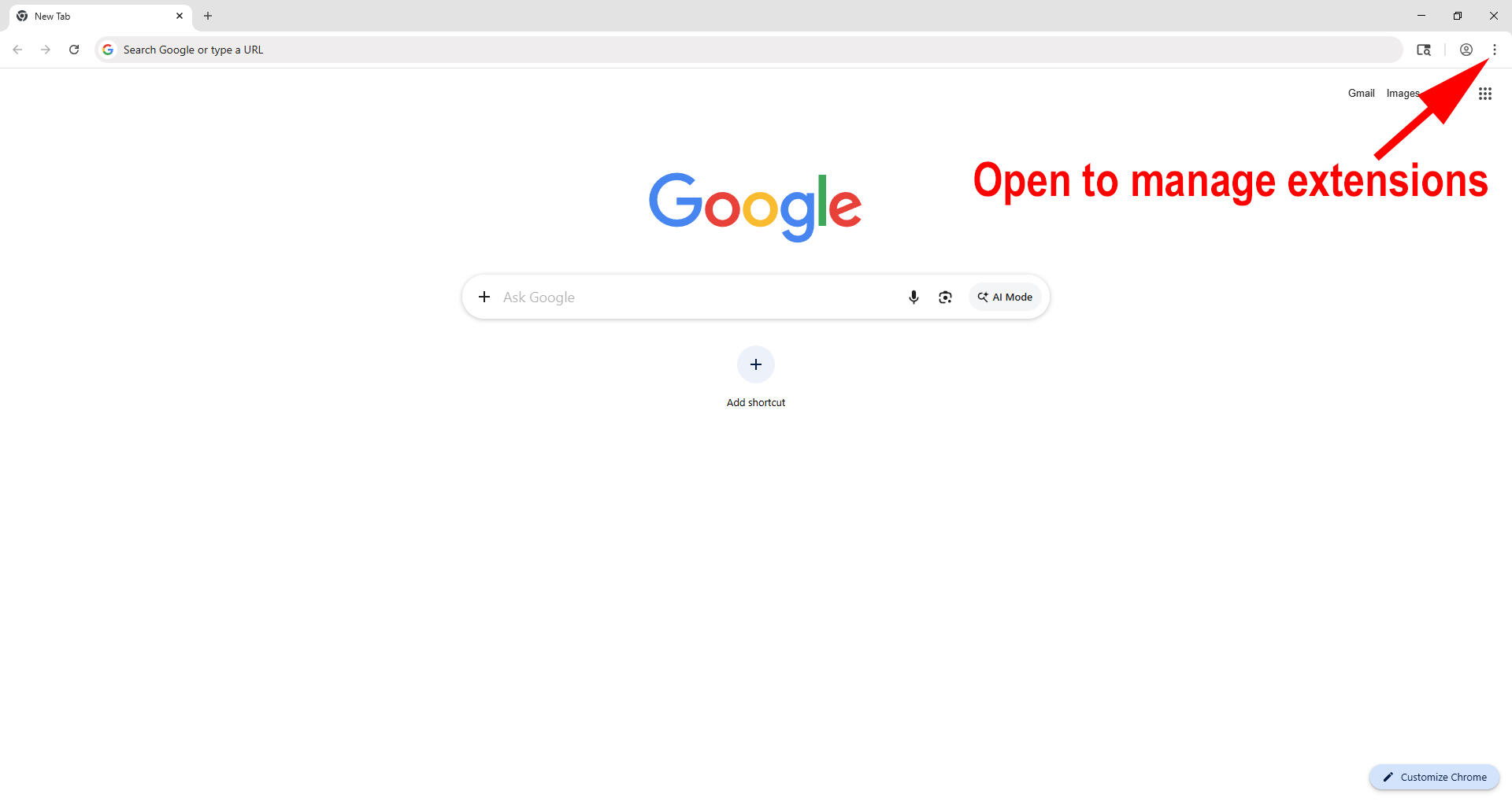
1. You can enter chrome://extensions in your browser and skip to step 3, or follow along with the below two steps to open manage extensions.Click the three dots in the top-right corner of Chrome.
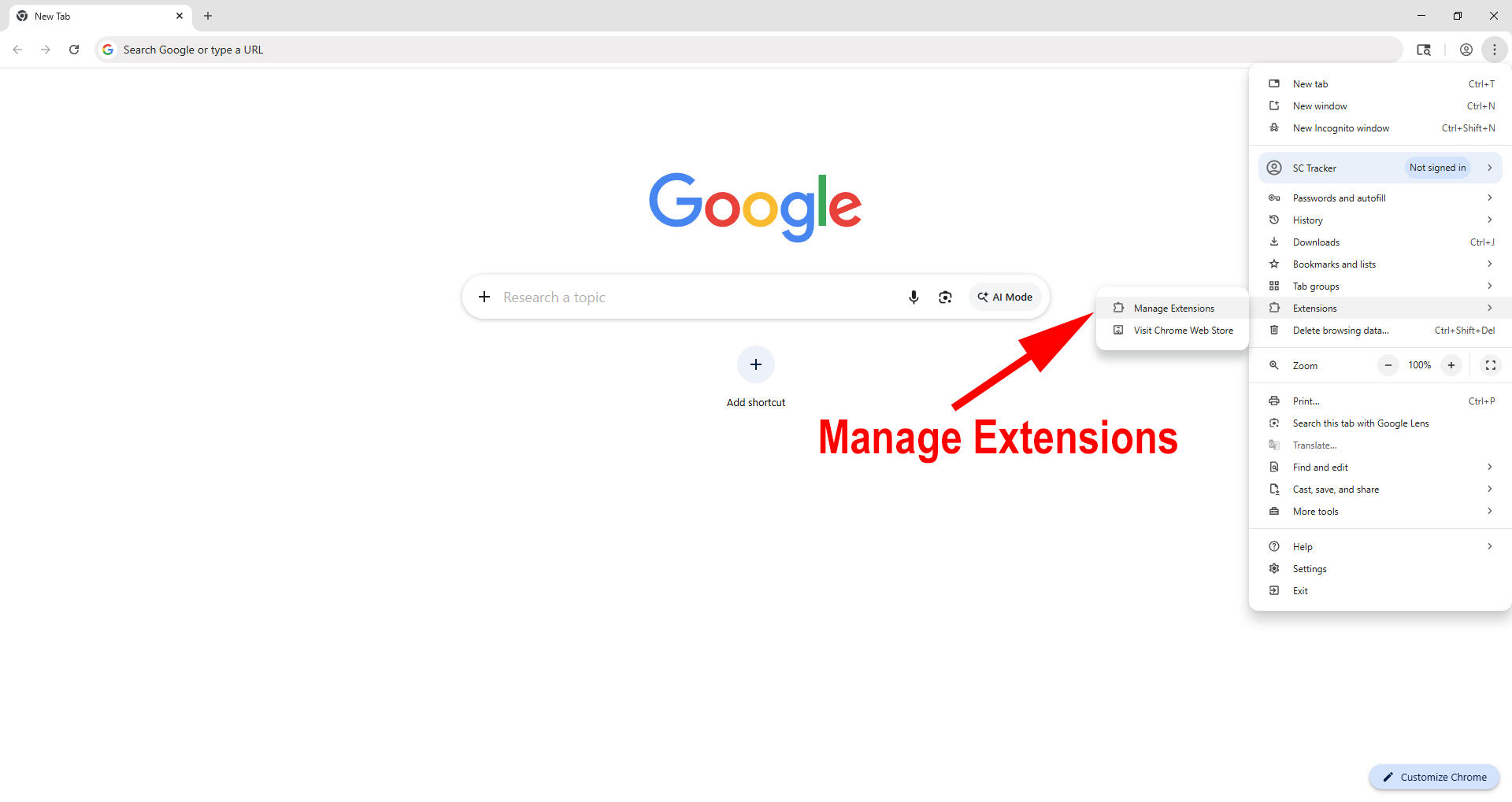
In the menu, find Extensions (with the puzzle piece icon).
2. Click Manage Extensions, and a new window will open.
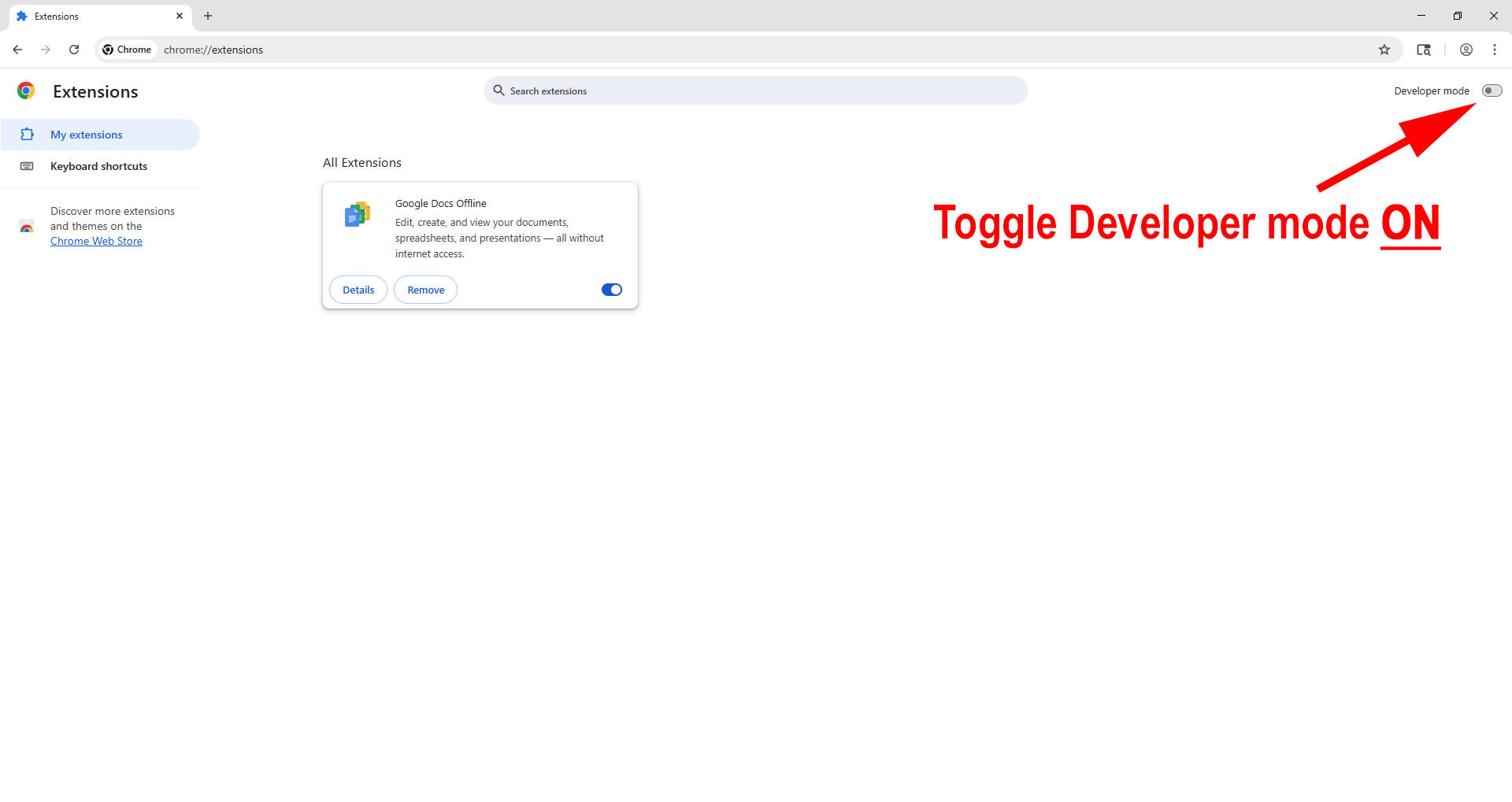
3. If developer mode is not already on, turn it on. If on, the toggle should appear blue.
PLEASE NOTE: Developer Mode is required because SC Tracker is installed locally instead of through the Chrome Web Store. This is normal and safe for this installation. Developer mode is necessary for unpacked extensions. Turning off developer mode after loading SC Tracker will disable the extension. Developer mode should remain on to use SC Tracker.
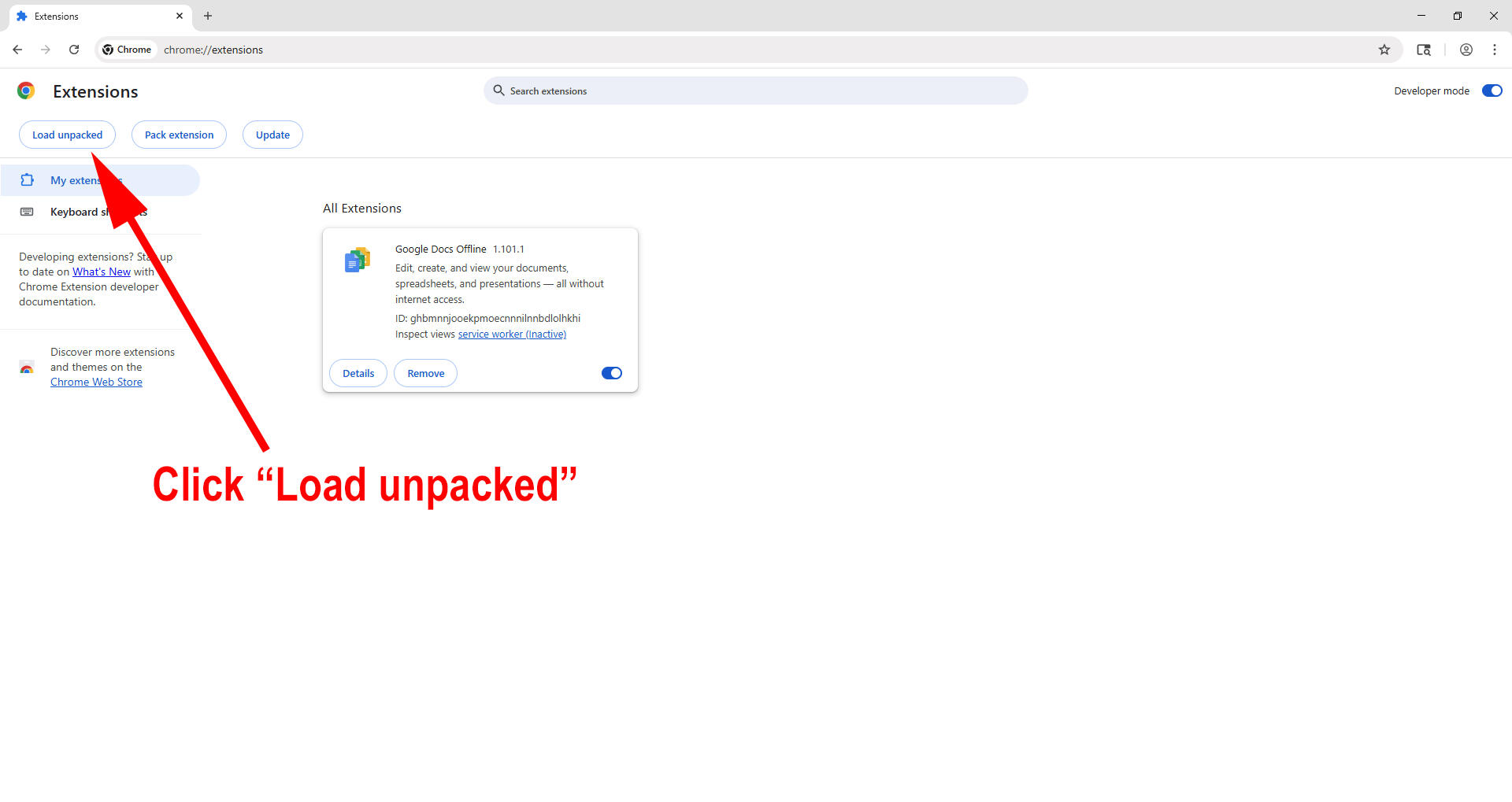
4. Click "Load unpacked"
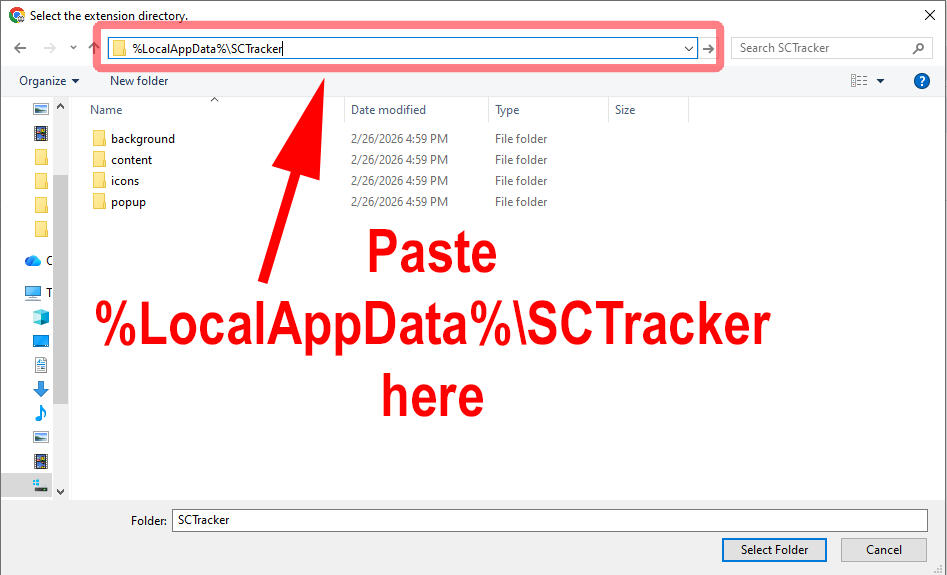
5. In the address bar, type %LocalAppData%\SCTracker and press ENTER to load the correct folder path.
You will notice that the beginning of the folder path has changed to your local username.
Several folders will be shown within the SC Tracker folder.TIP: If you just ran the SC Tracker installer, %LocalAppData%\SCTracker is already in your clipboard.
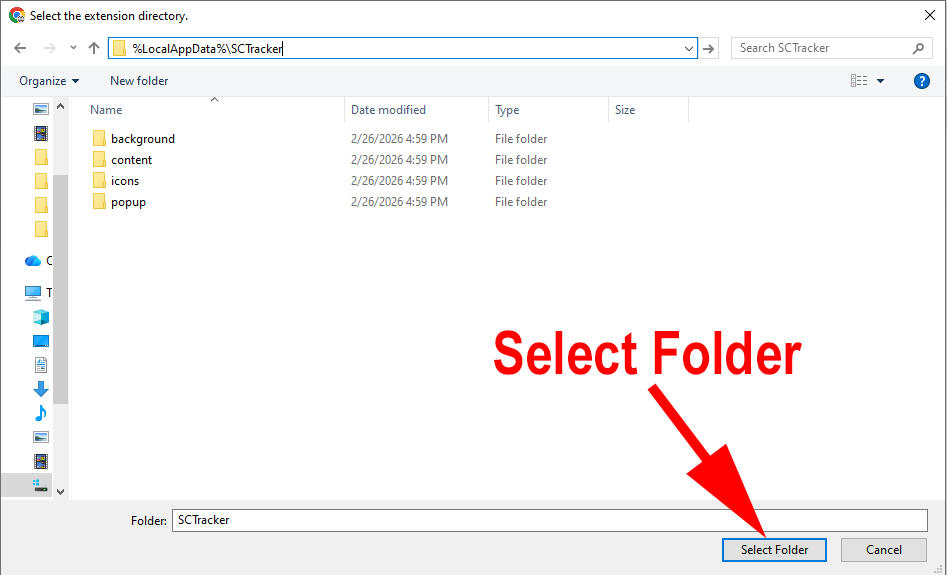
6. Once you're in the SCTracker folder, click Select Folder.
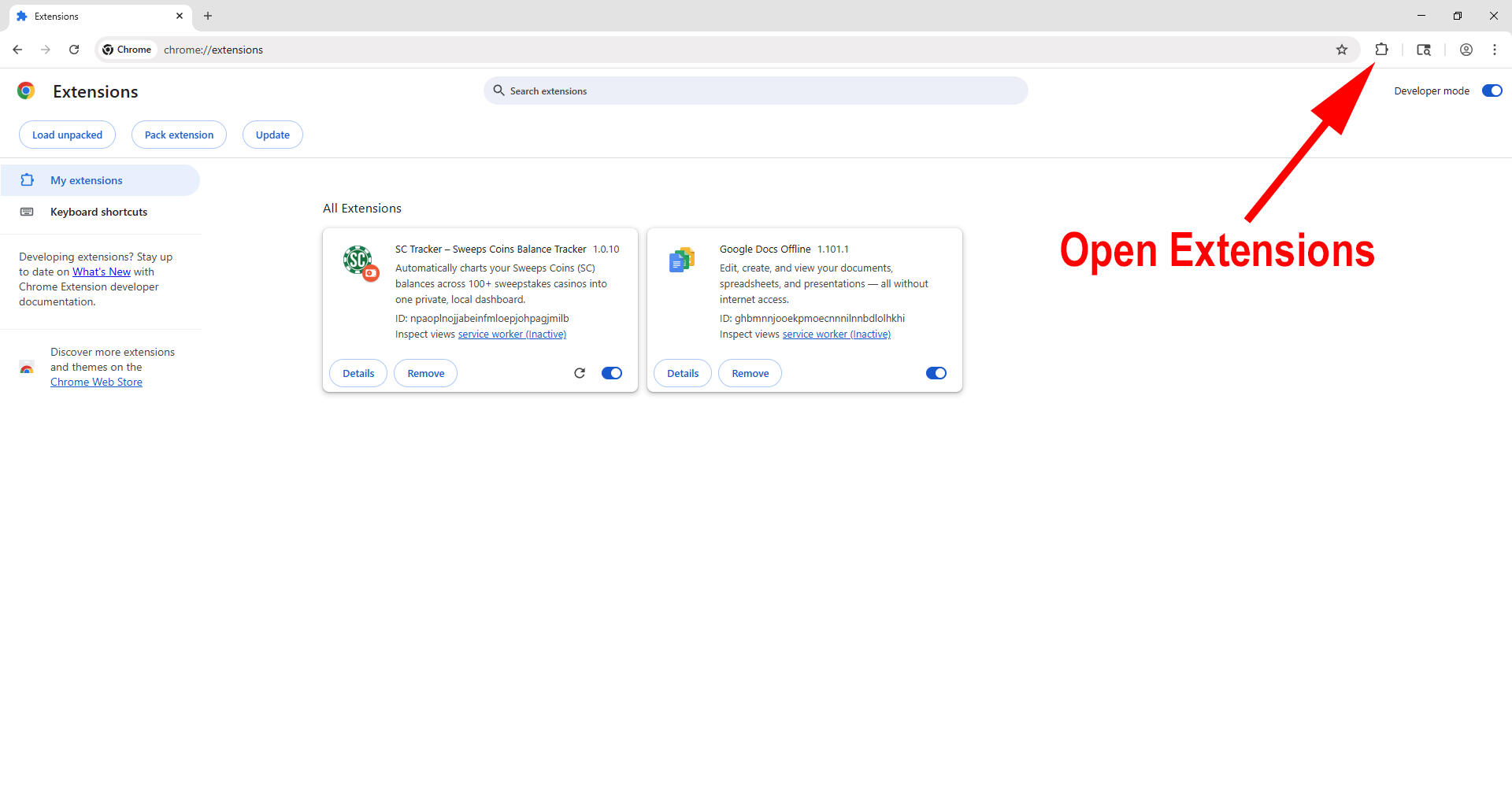
7. You should now see SC Tracker listed as an extension like the below. To open it, use the extensions button.
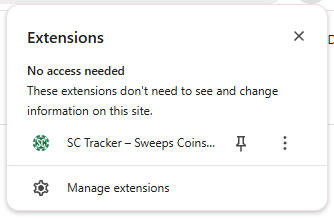
8. Click SC Tracker to open, or pin SC Tracker for easy access.

That's it! The hard part is over. Click the + button to add your first sweeps casino site and start tracking your balances automatically.
How to Install SC Tracker on Edge (Windows)
Before you start, make sure you have already run the SC Tracker Installer. If you need to download the installer you can find it at trackmysc.com.After the SC Tracker installer completes, you still need to load the unpacked extension before it will appear. To do this in Edge (Windows), follow the steps below:
1. You can enter edge://extensions in your browser and skip to step 3, or follow along with the below two steps to open manage extensions.Click the three dots in the top-right corner of Edge.
In the menu, find Extensions (with the puzzle piece icon).
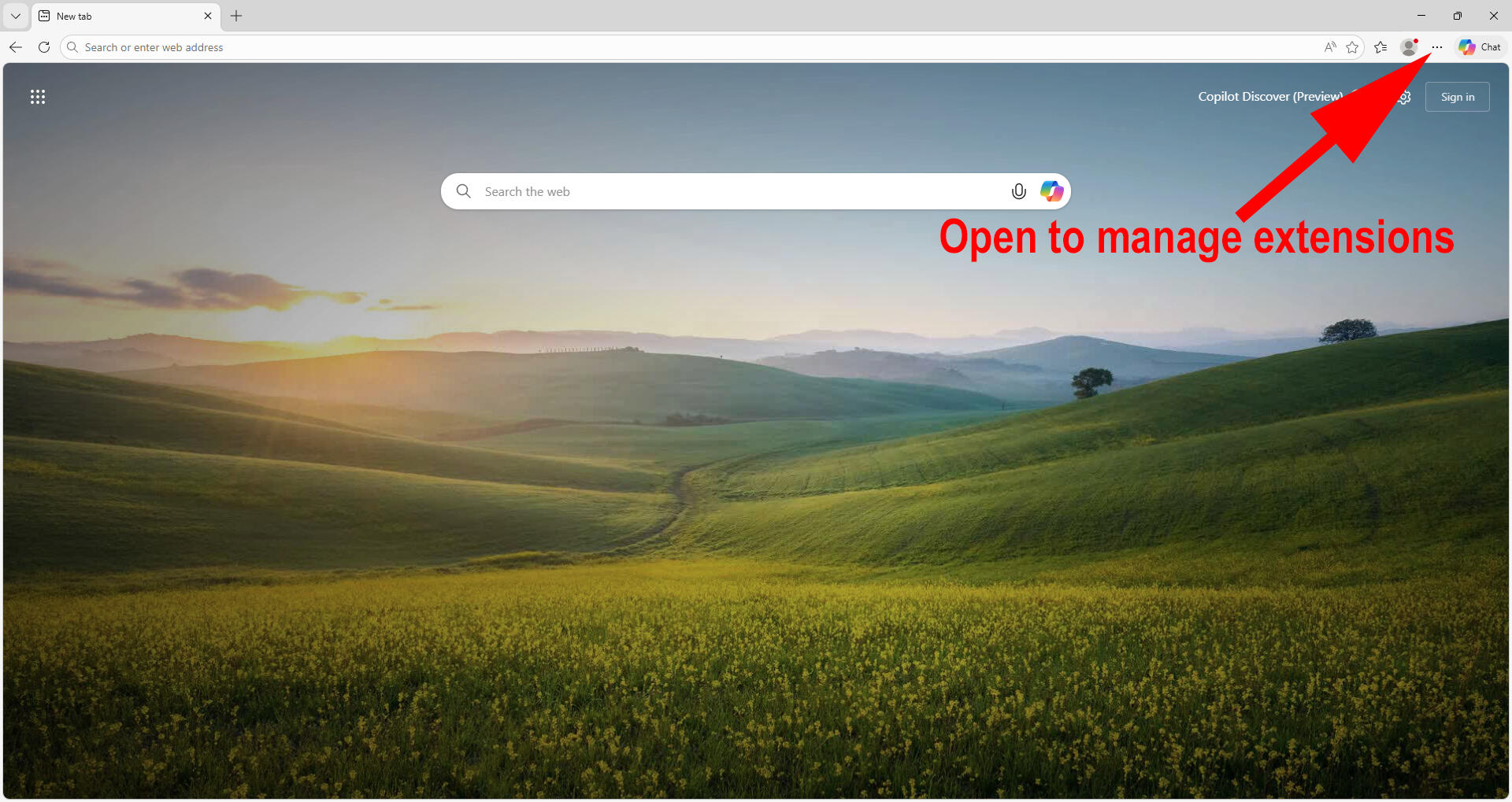
2. Click Manage Extensions, and a new window will open.
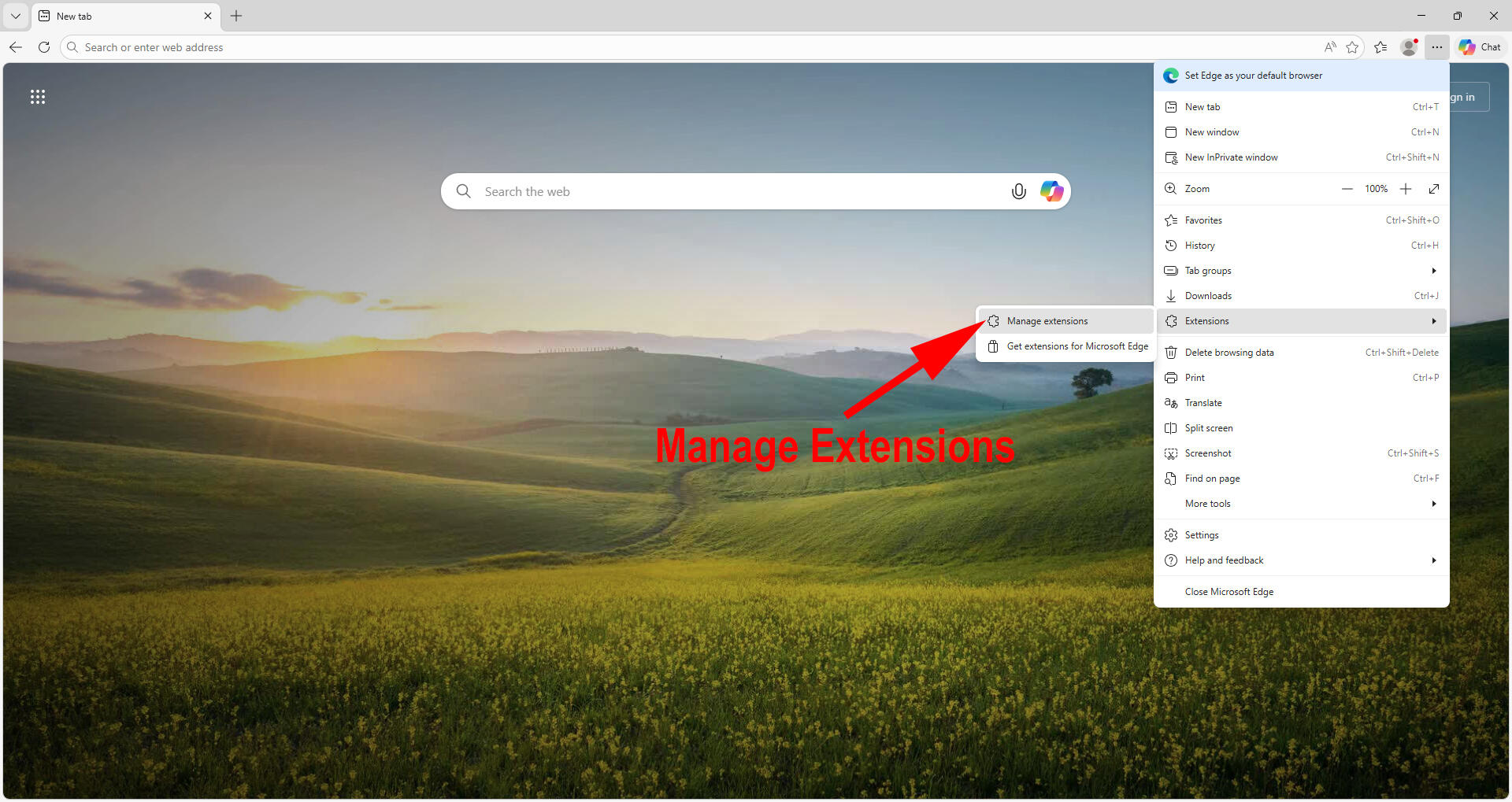
3. If developer mode is not already on, turn it on. If on, the toggle should appear blue.
PLEASE NOTE: Developer Mode is required because SC Tracker is installed locally instead of through the Web Store. This is normal and safe for this installation. Developer mode is necessary for unpacked extensions. Turning off developer mode after loading SC Tracker will disable the extension. Developer mode should remain on to use SC Tracker.
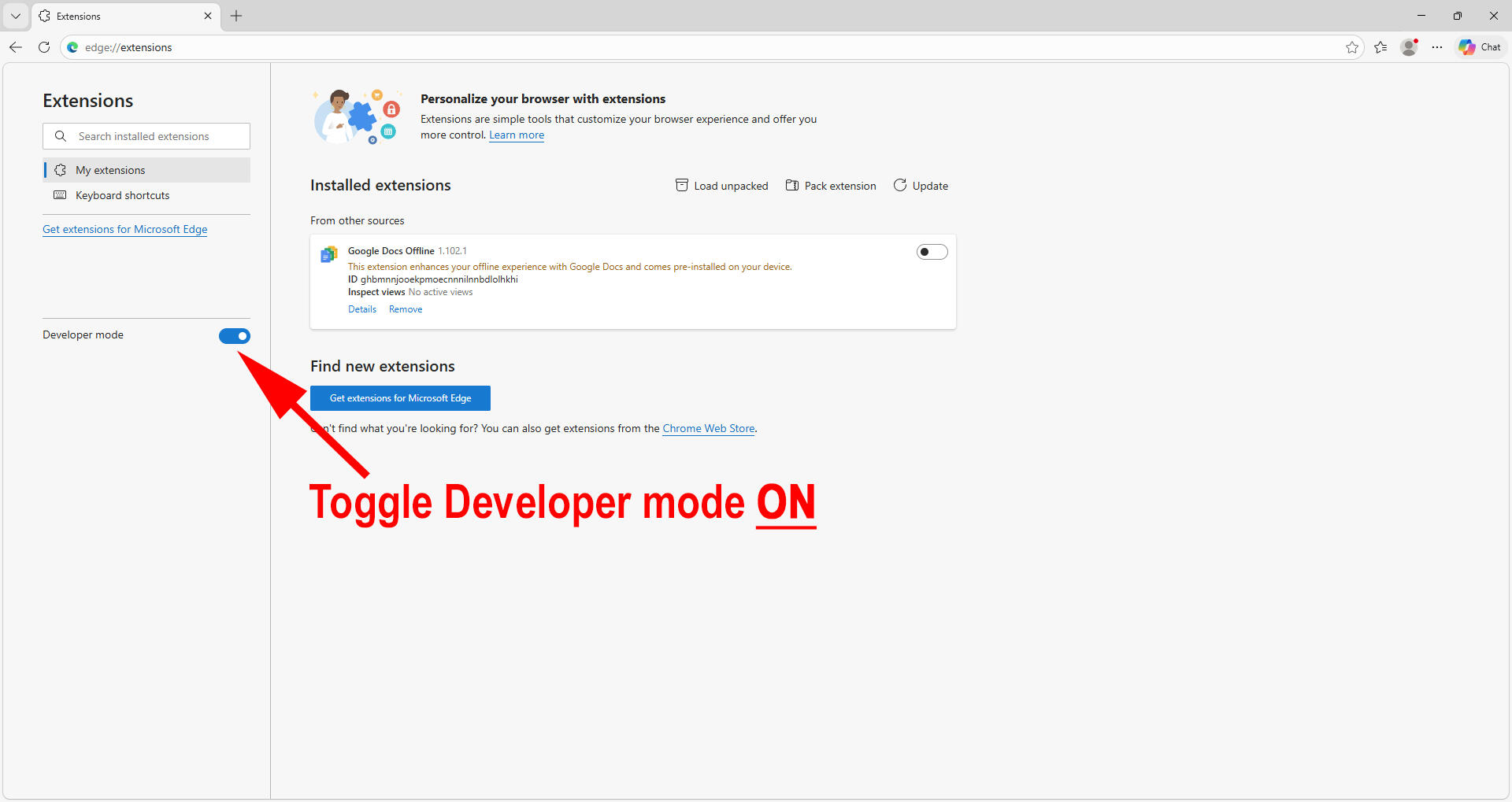
4. Click "Load unpacked"
5. In the address bar, type %LocalAppData%\SCTracker and press ENTER to load the correct folder path.
You will notice that the beginning of the folder path has changed to your local username.
Several folders will be shown within the SC Tracker folder.TIP: If you just ran the SC Tracker installer, %LocalAppData%\SCTracker is already in your clipboard.
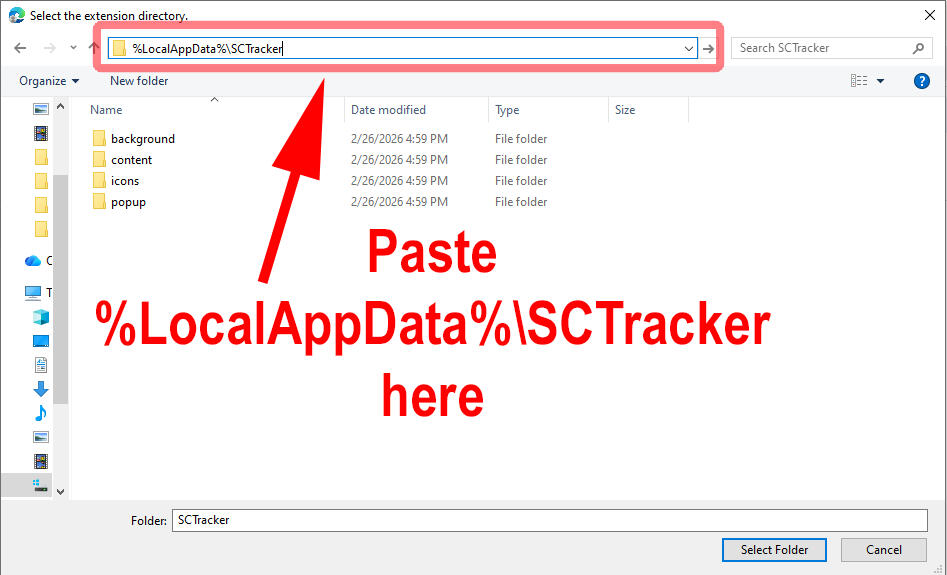
6. Once you're in the SCTracker folder, click Select Folder.
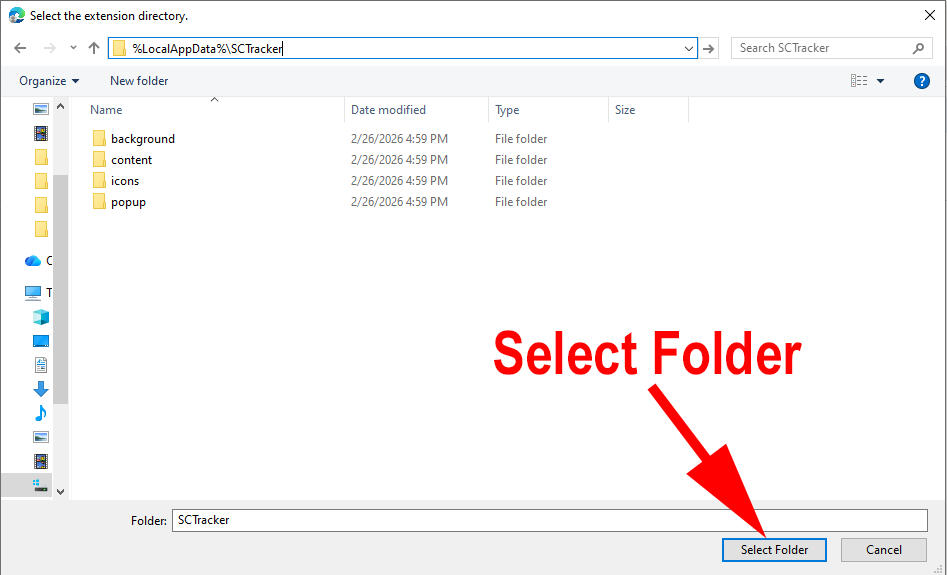
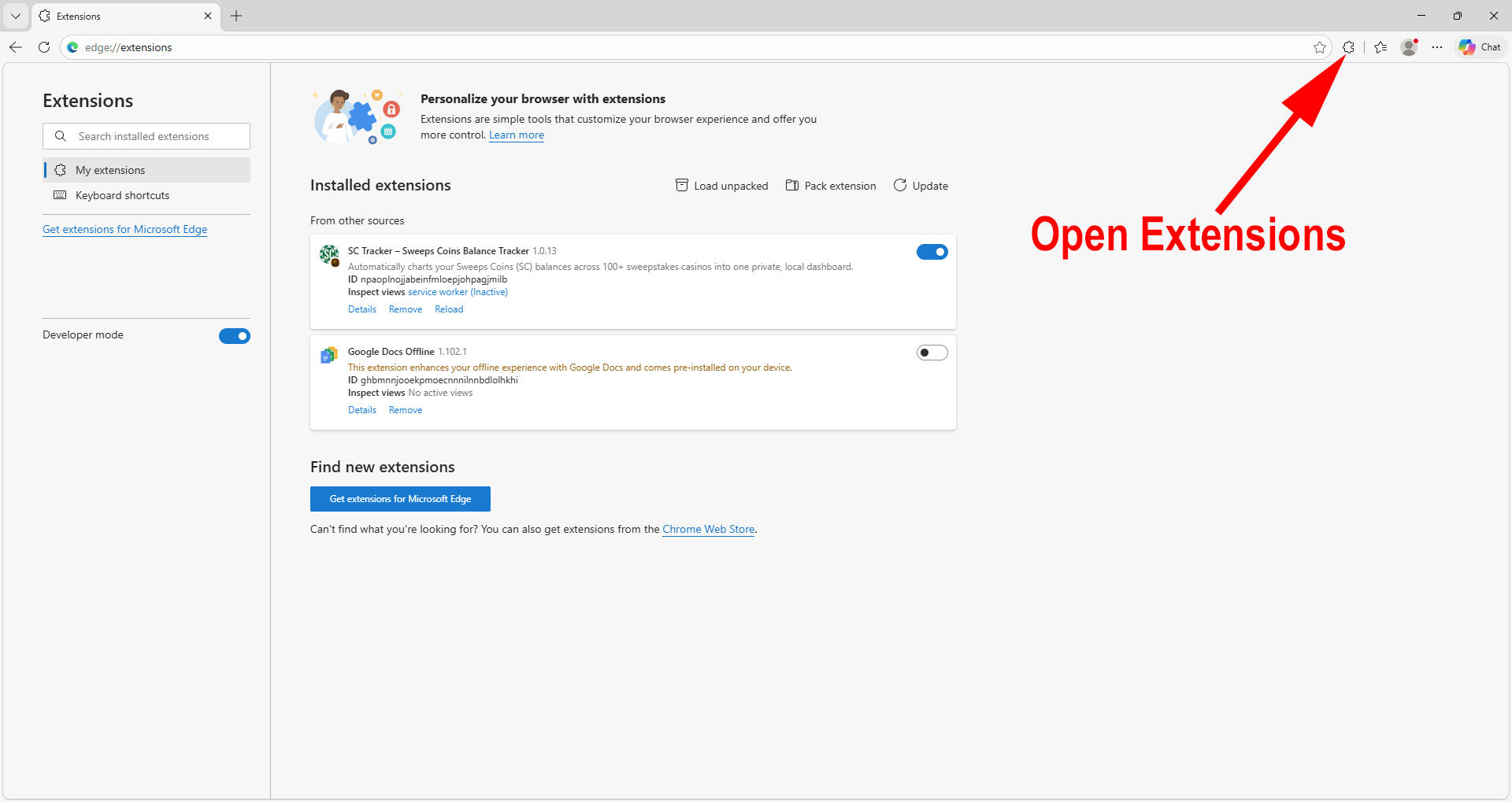
7. You should now see SC Tracker listed as an extension like the below. To open it, use the extensions button.
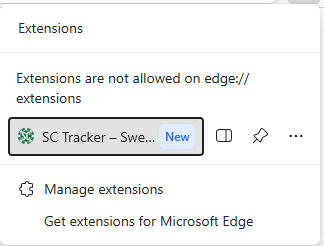
8. Click SC Tracker to open, or pin SC Tracker for easy access.
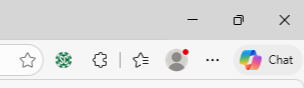
That's it! The hard part is over. Click the + button to add your first sweeps casino site and start tracking your balances automatically.
How to Install SC Tracker on Brave (Windows)
Before you start, make sure you have already run the SC Tracker Installer. If you need to download the installer you can find it at trackmysc.com.After the SC Tracker installer completes, you still need to load the unpacked extension before it will appear. To do this in Brave (Windows), follow the steps below:
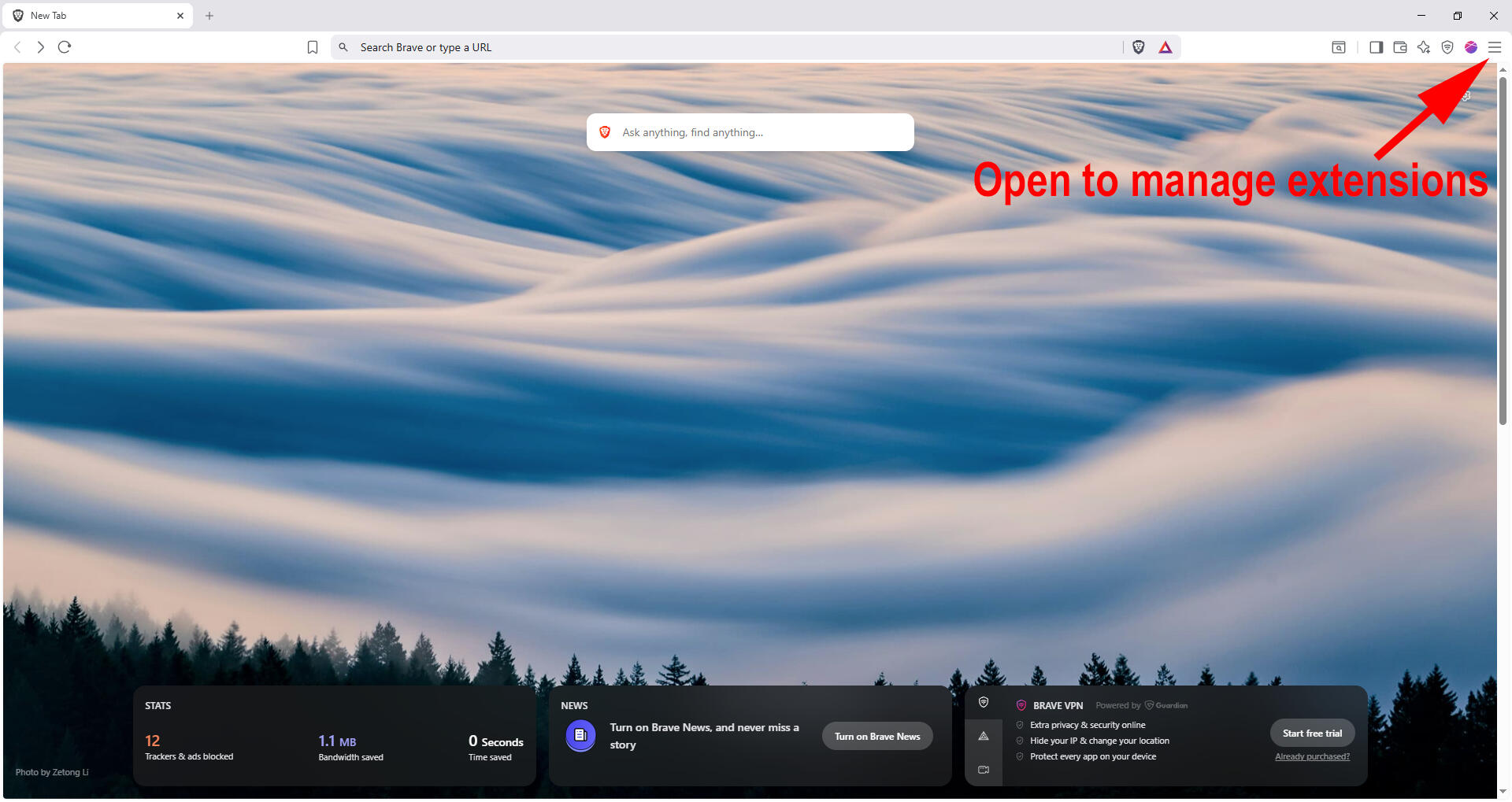
1. You can enter brave://extensions in your browser and skip to step 3, or follow along with the below two steps to open manage extensions.Click the three lines in the top-right corner of Brave.
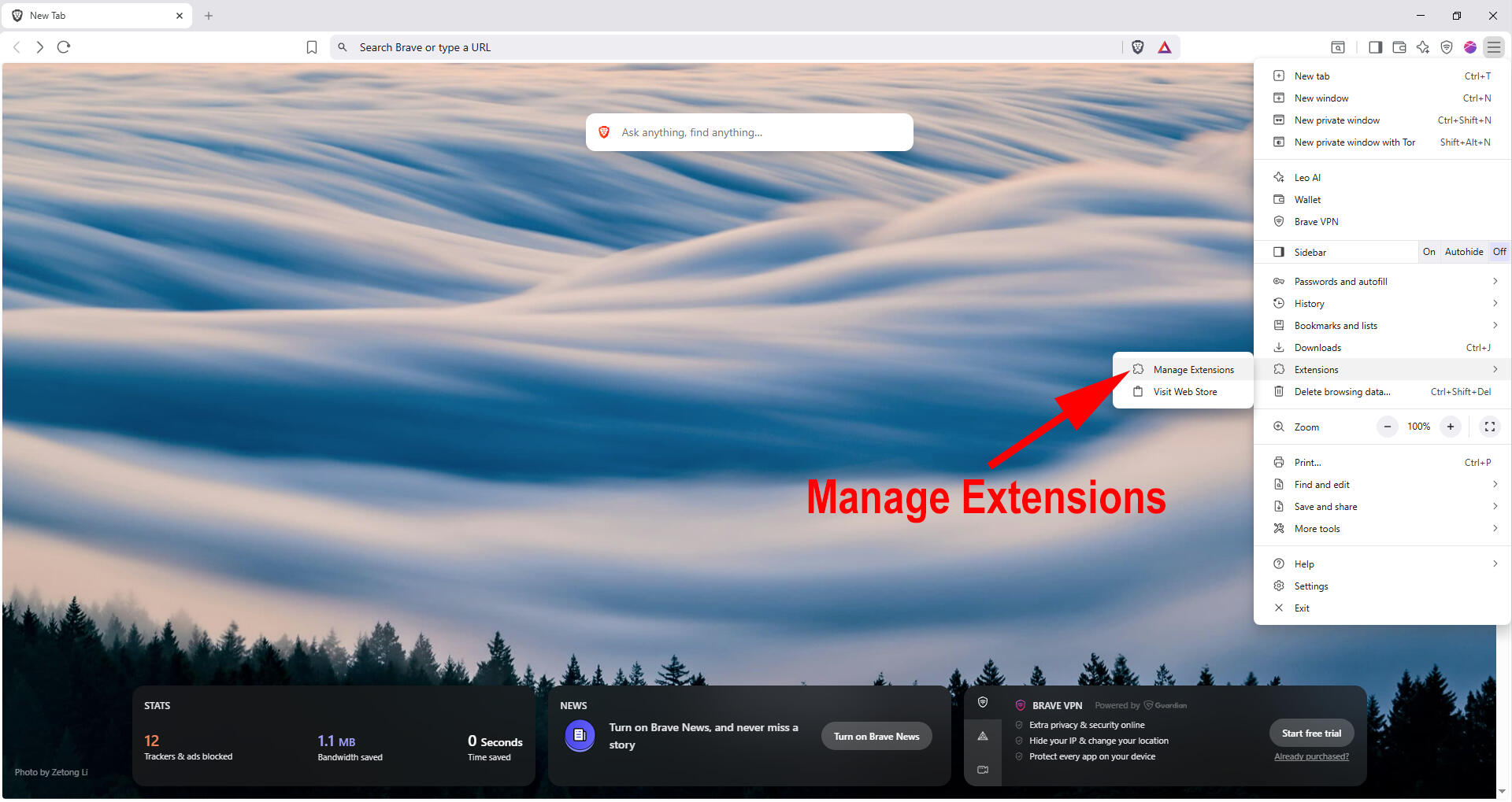
In the menu, find Extensions (with the puzzle piece icon).
2. Click Manage Extensions, and a new window will open.
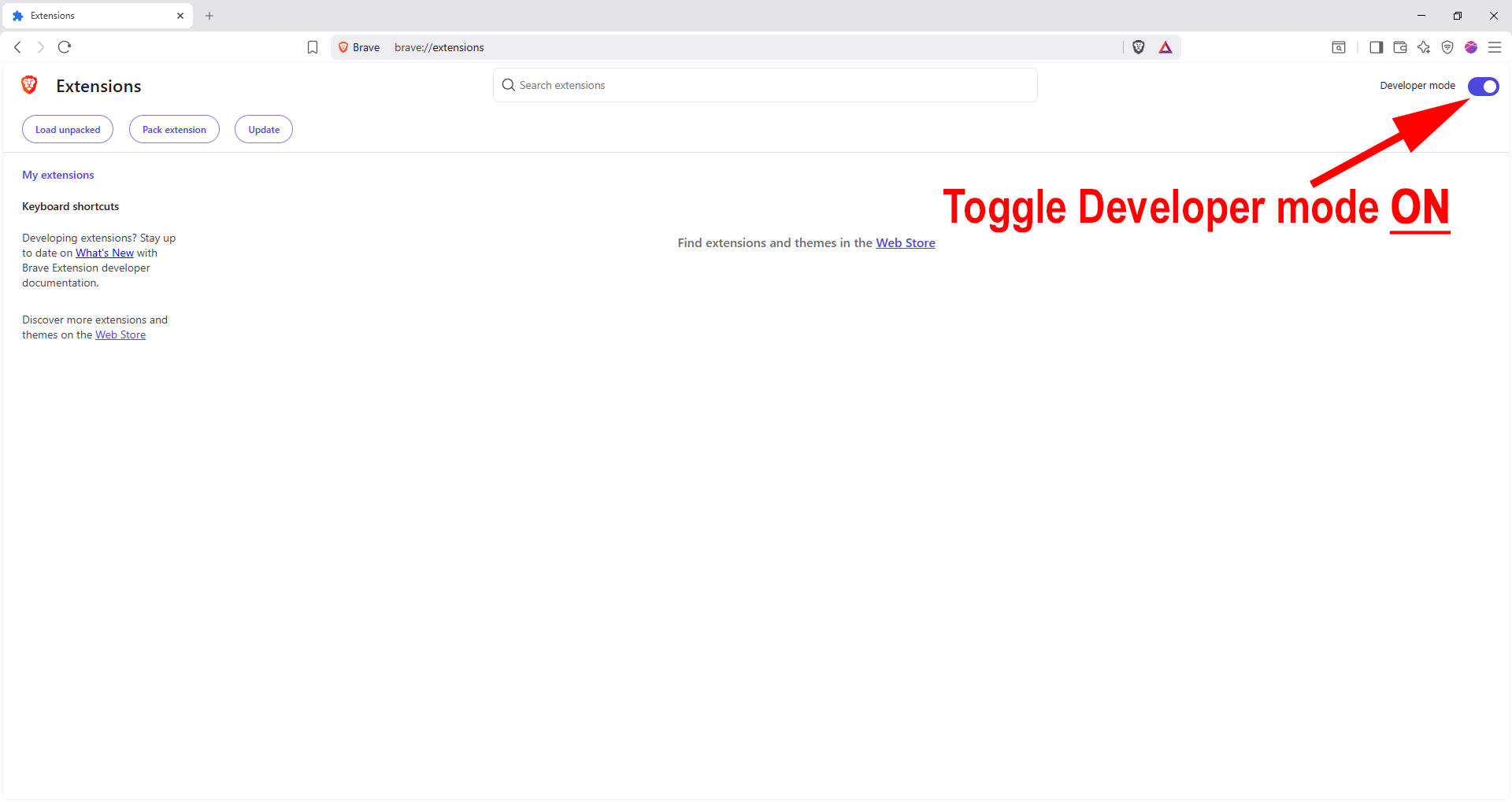
3. If developer mode is not already on, turn it on. If on, the toggle should appear blue.
PLEASE NOTE: Developer Mode is required because SC Tracker is installed locally instead of through the Web Store. This is normal and safe for this installation. Developer mode is necessary for unpacked extensions. Turning off developer mode after loading SC Tracker will disable the extension. Developer mode should remain on to use SC Tracker.
4. Click "Load unpacked"
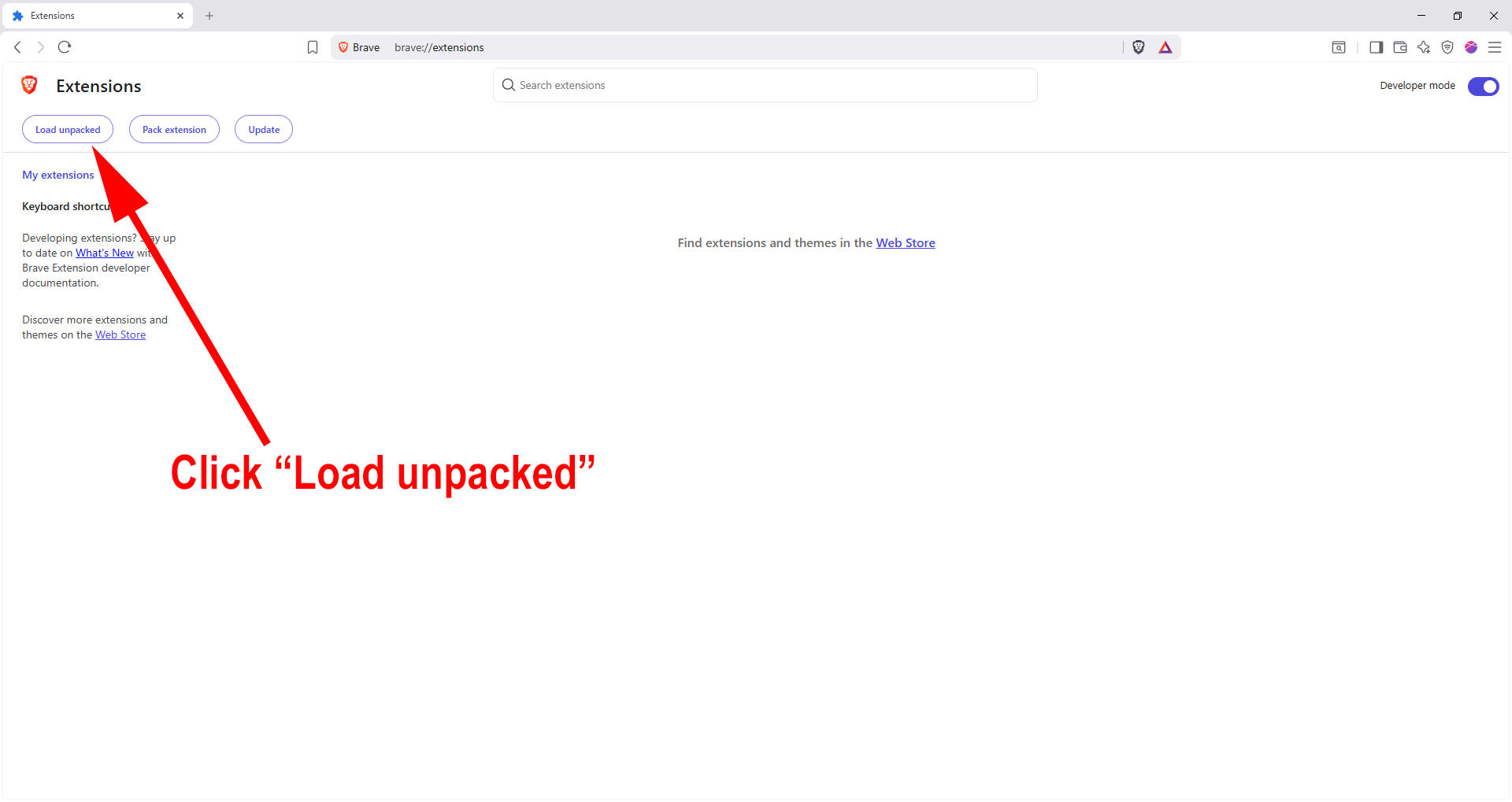
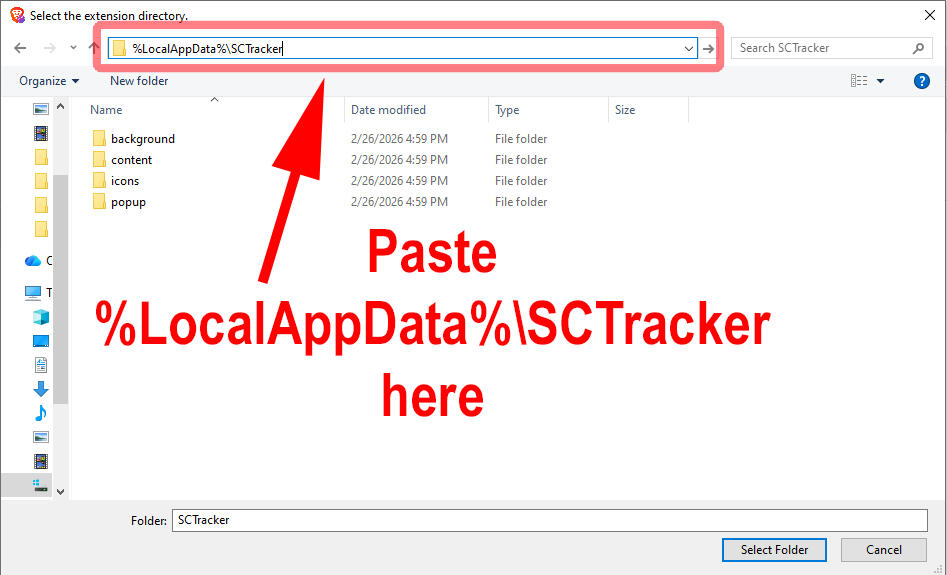
5. In the address bar, type %LocalAppData%\SCTracker and press ENTER to load the correct folder path.
You will notice that the beginning of the folder path has changed to your local username.
Several folders will be shown within the SC Tracker folder.TIP: If you just ran the SC Tracker installer, %LocalAppData%\SCTracker is already in your clipboard.
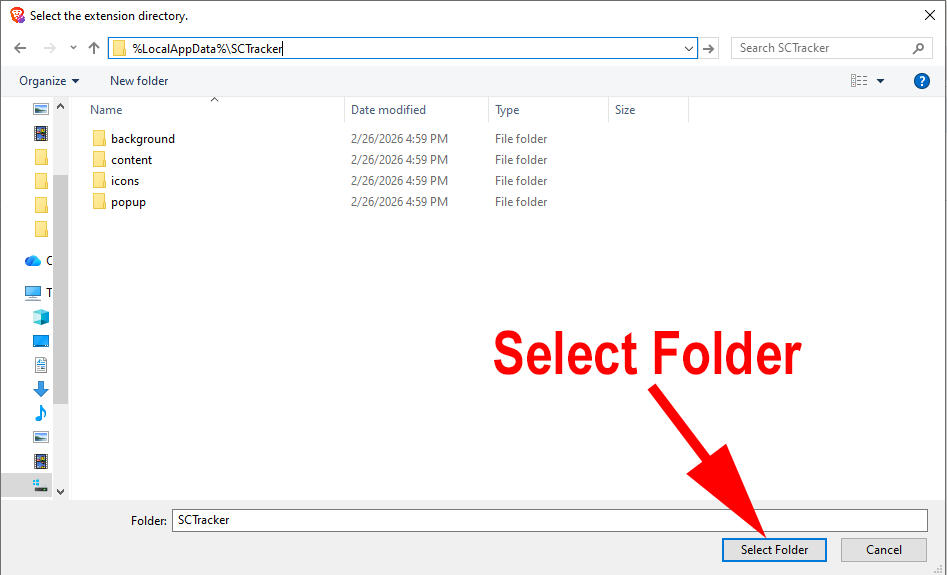
6. Once you're in the SCTracker folder, click Select Folder.
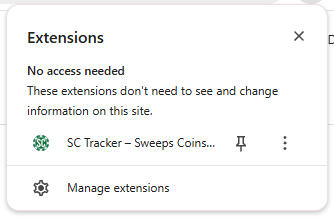
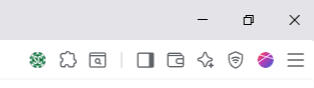
7. You should now see SC Tracker listed as an extension like the below. To open it, use the extensions button.
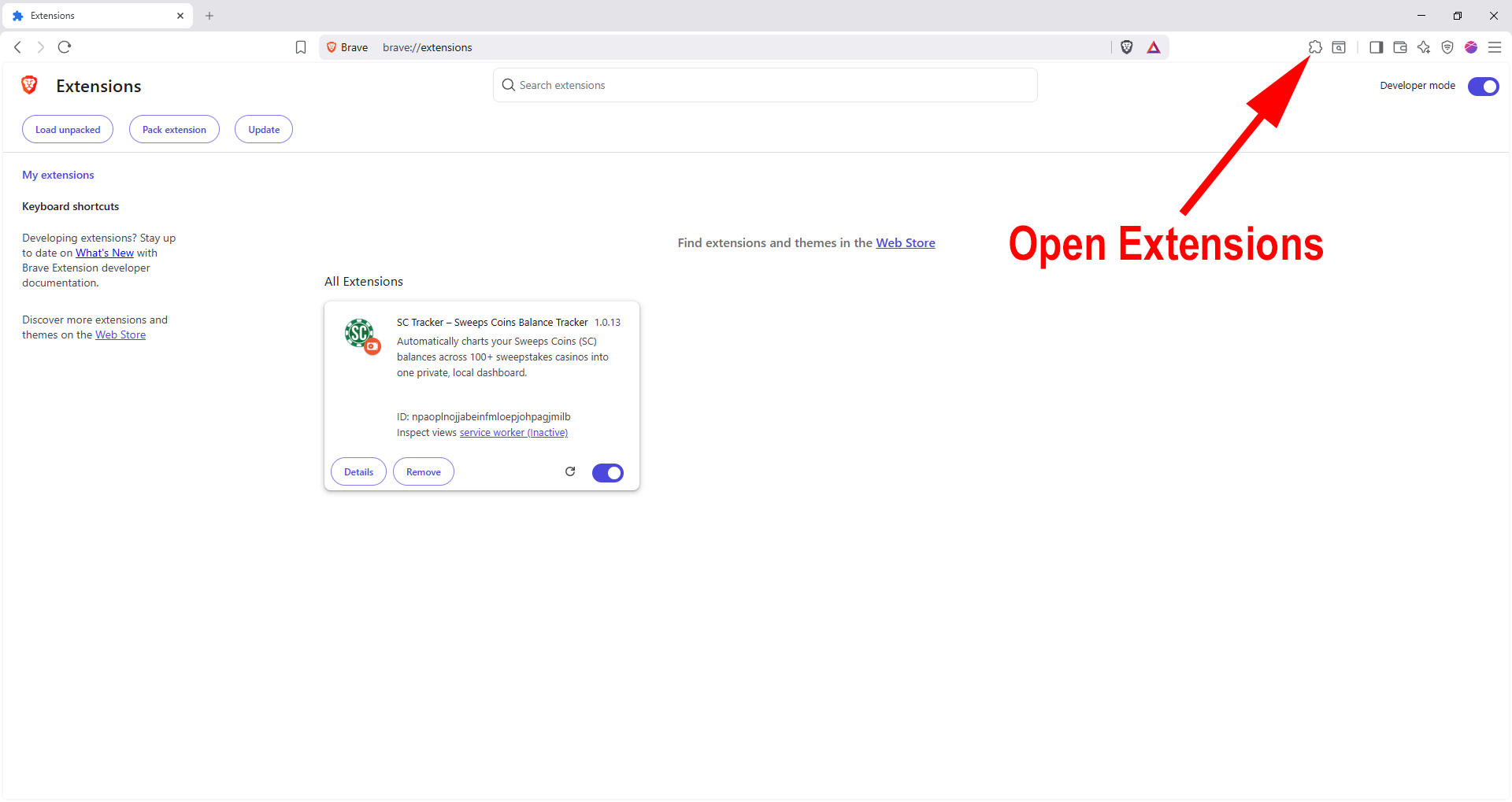
8. Click SC Tracker to open, or pin SC Tracker for easy access.
That's it! The hard part is over. Click the + button to add your first sweeps casino site and start tracking your balances automatically.
How to Install SC Tracker on Chrome (Mac)
Before you start, make sure you have already run the SC Tracker Installer. If you need to download the installer you can find it at trackmysc.com.After the SC Tracker installer completes, you still need to load the unpacked extension before it will appear. To do this in Chrome (Mac), follow the steps below:
1. You can enter chrome://extensions in your browser and skip to step 3, or follow along with the below two steps to open manage extensions.Click the three dots in the top-right corner of Chrome.
In the menu, find Extensions (with the puzzle piece icon).
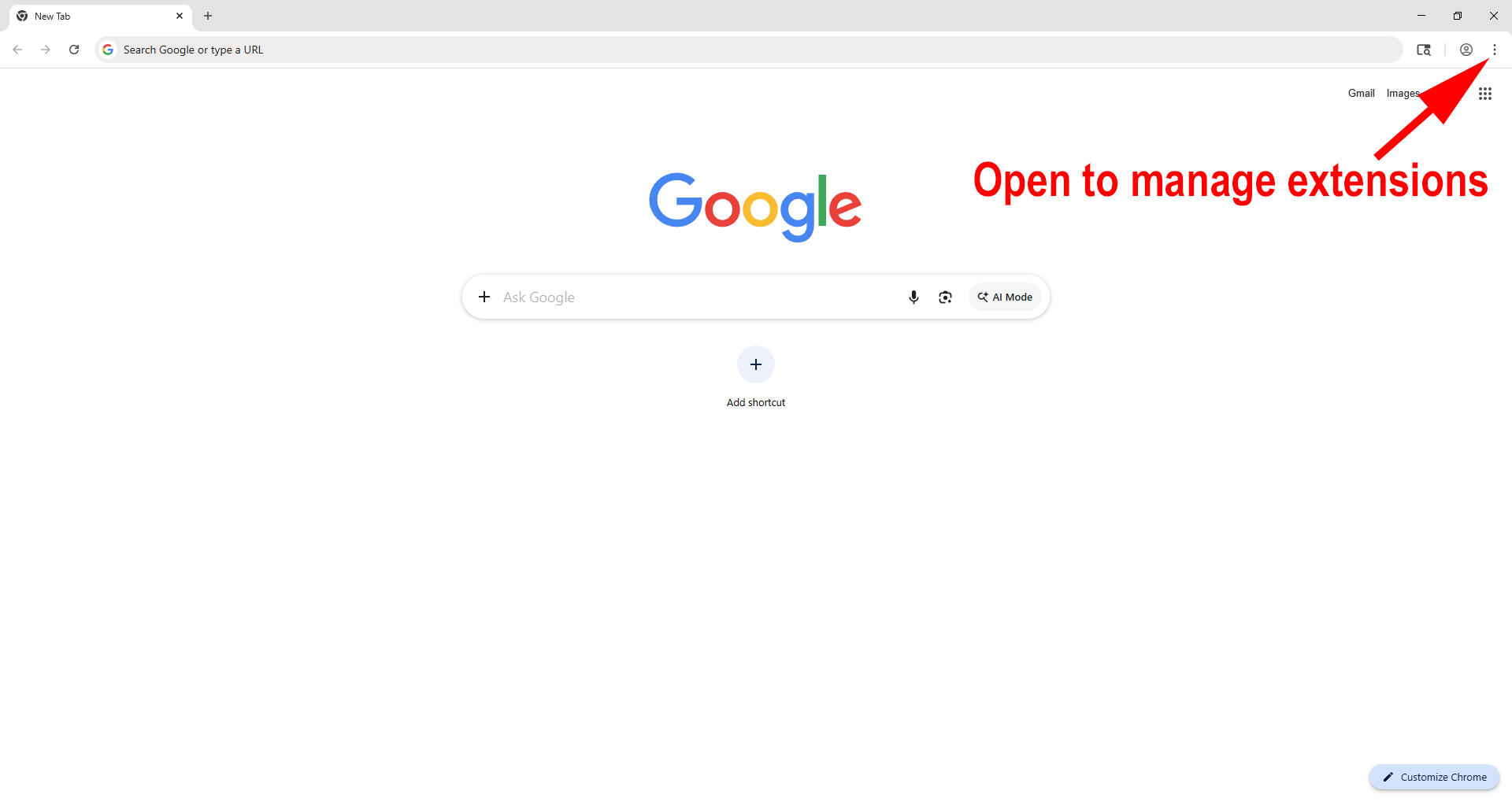
2. Click Manage Extensions, and a new window will open.
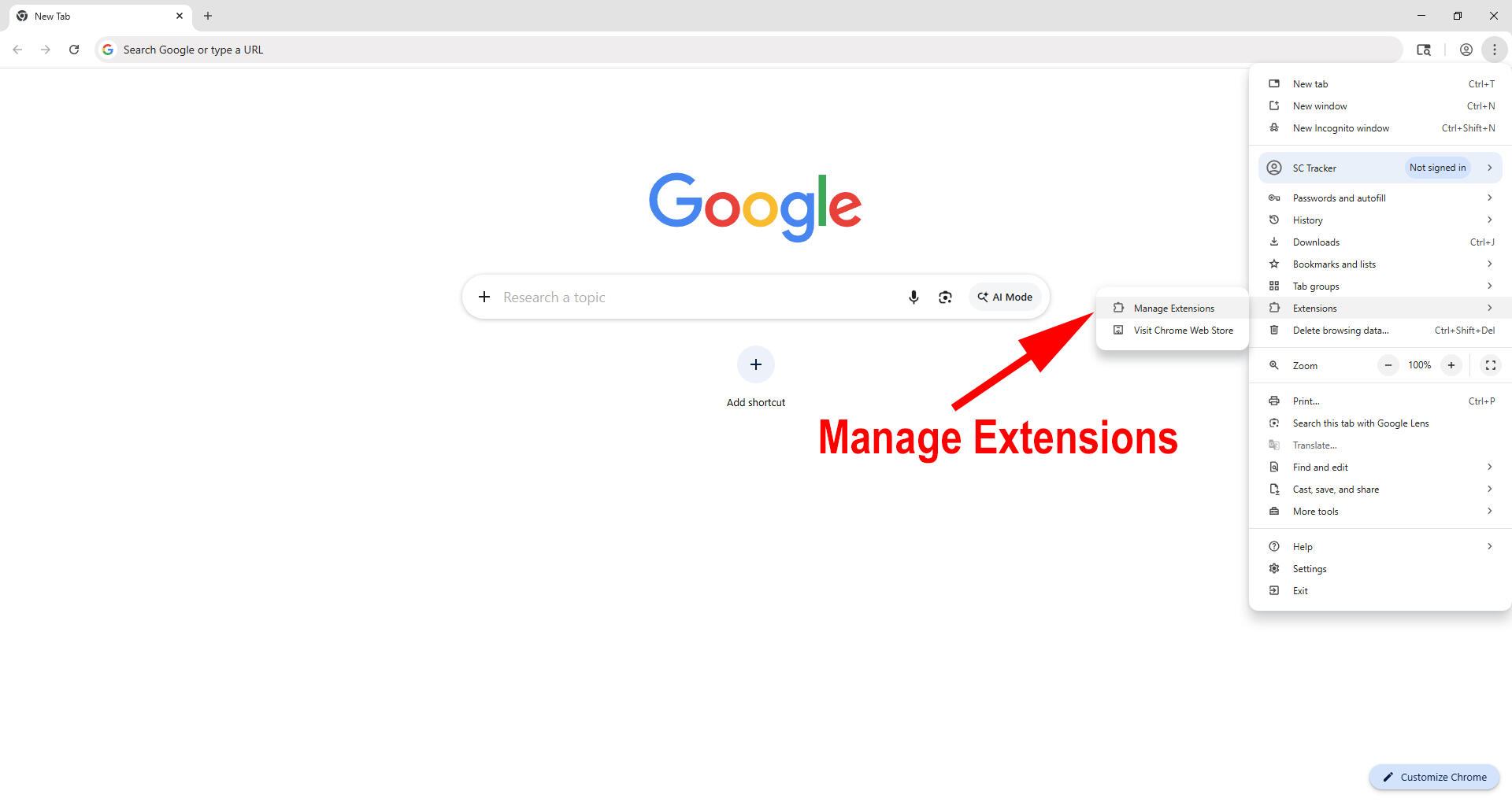
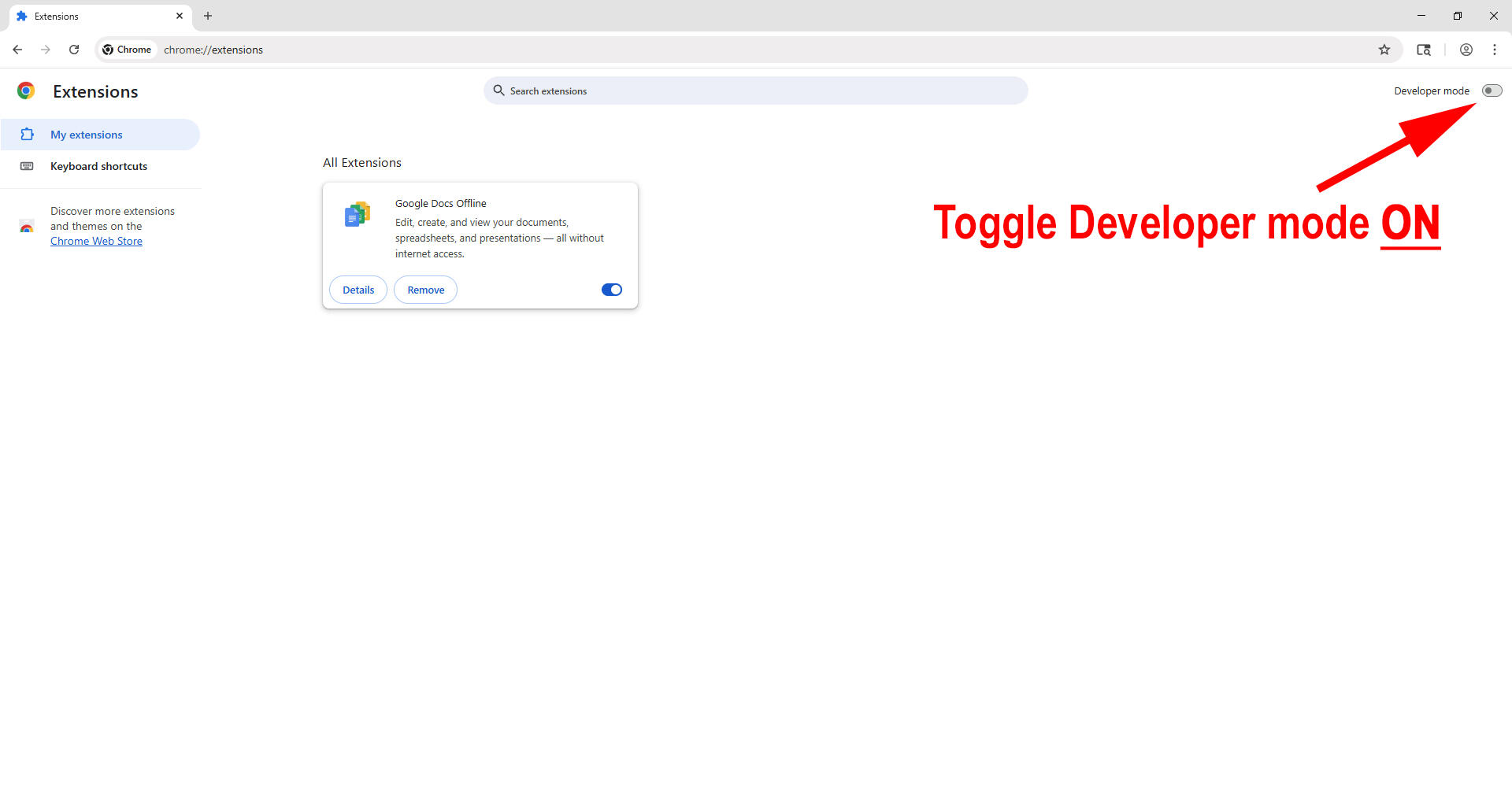
3. If developer mode is not already on, turn it on. If on, the toggle should appear blue.
PLEASE NOTE: Developer Mode is required because SC Tracker is installed locally instead of through the Chrome Web Store. This is normal and safe for this installation. Developer mode is necessary for unpacked extensions. Turning off developer mode after loading SC Tracker will disable the extension. Developer mode should remain on to use SC Tracker.
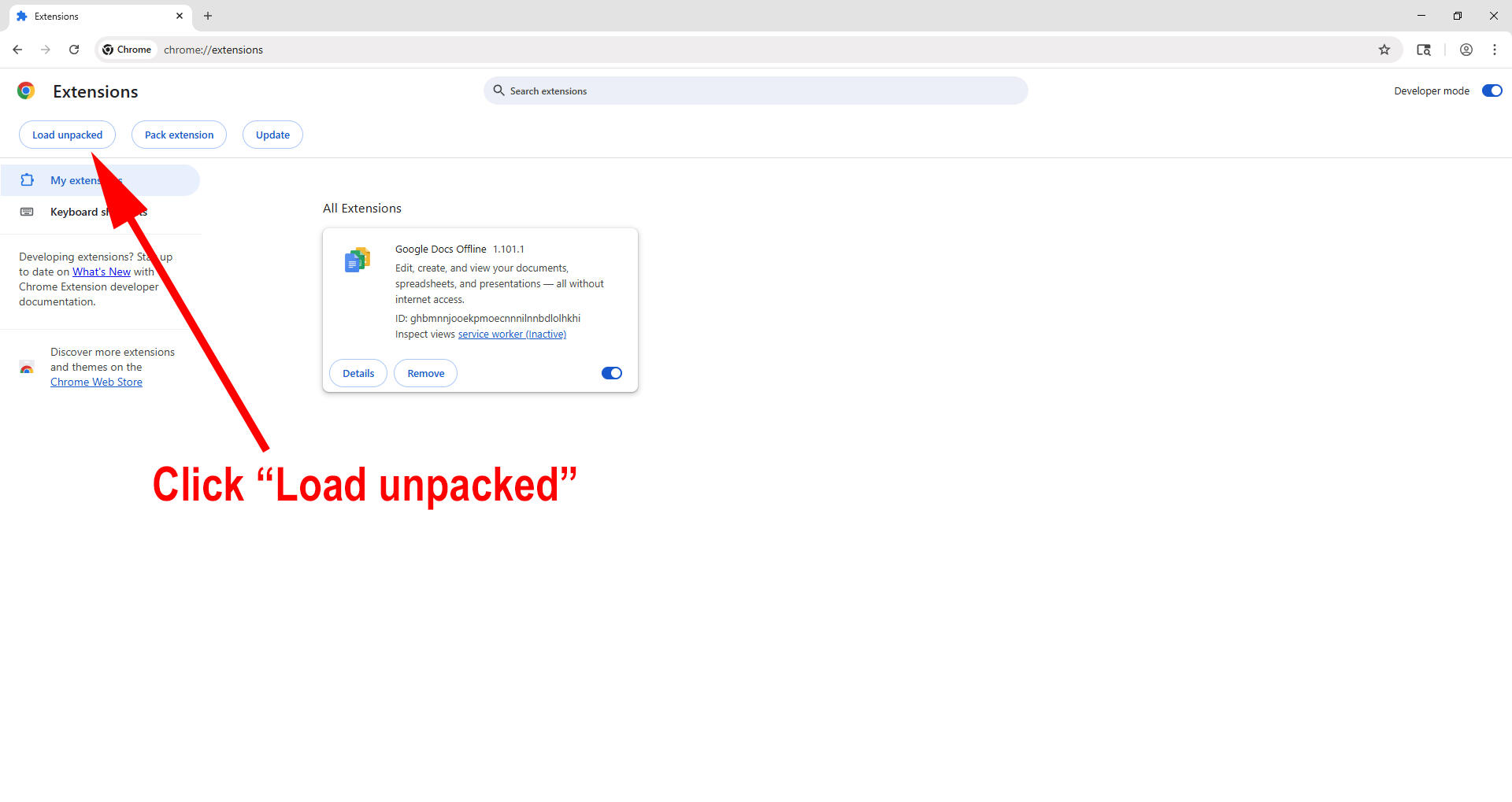
4. Click "Load unpacked"
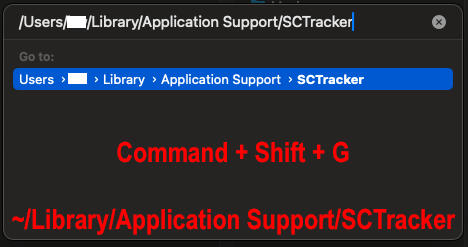
5. In the Finder window, Press Command + Shift + G, then paste this path: ~/Library/Application Support/SCTracker
Double click the folder or hit Return on your keyboard.TIP: If you just ran the SC Tracker Installer package, then ~/Library/Application Support/SCTracker is already in your clipboard.
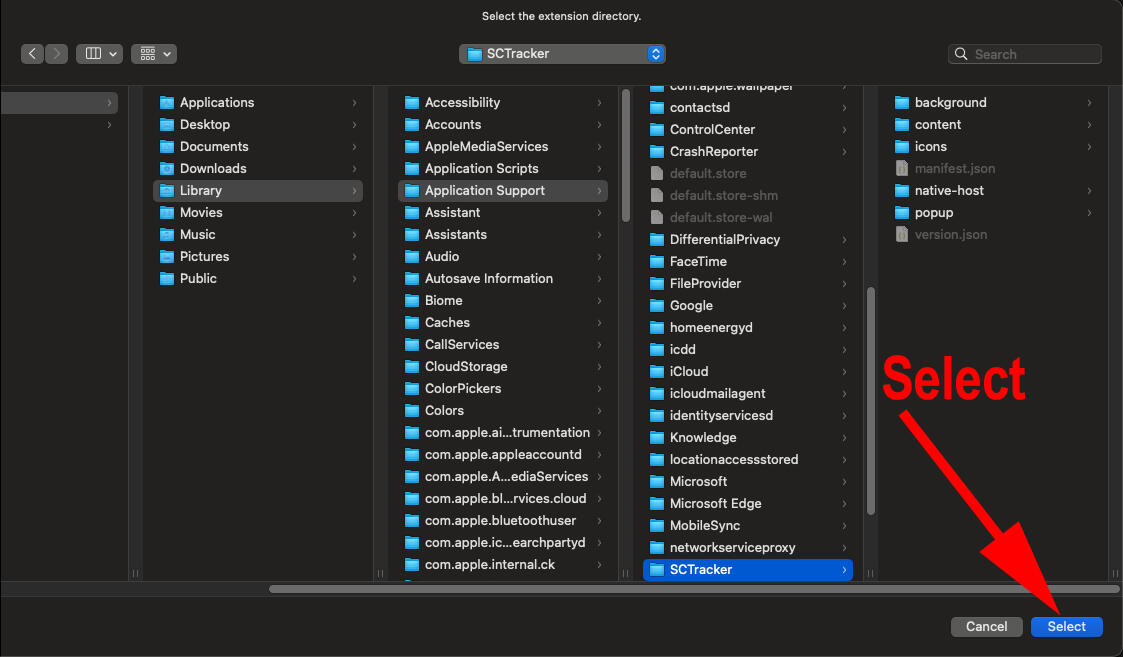
6. Click Select to confirm the SCTracker folder.
7. You should now see SC Tracker listed as an extension like the below. To open it, use the extensions button.
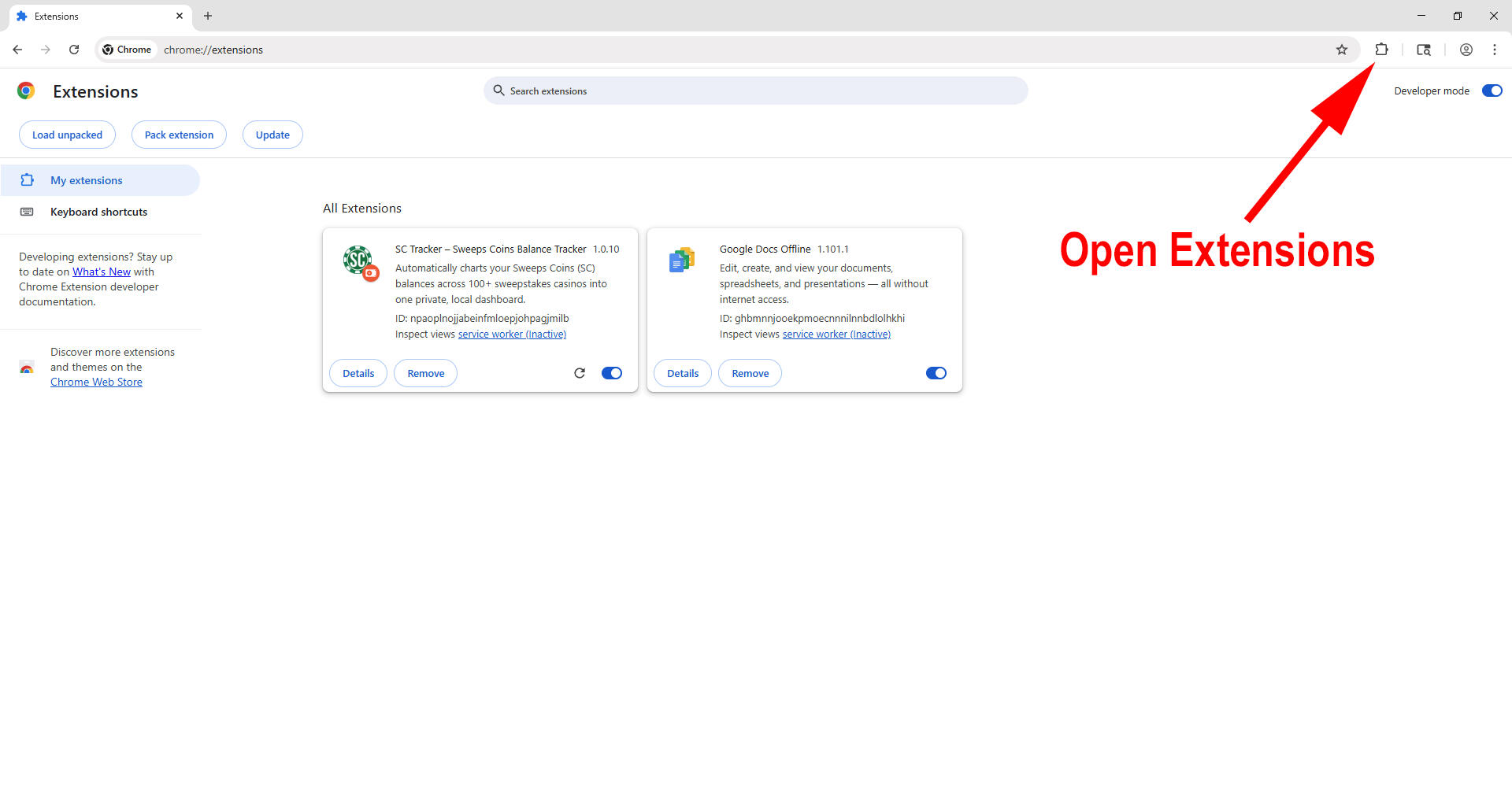
8. Click SC Tracker to open, or pin SC Tracker for easy access.
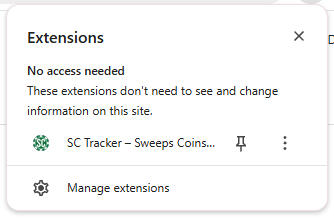

That's it! The hard part is over. Click the + button to add your first sweeps casino site and start tracking your balances automatically.
How to Install SC Tracker on Edge (Mac)
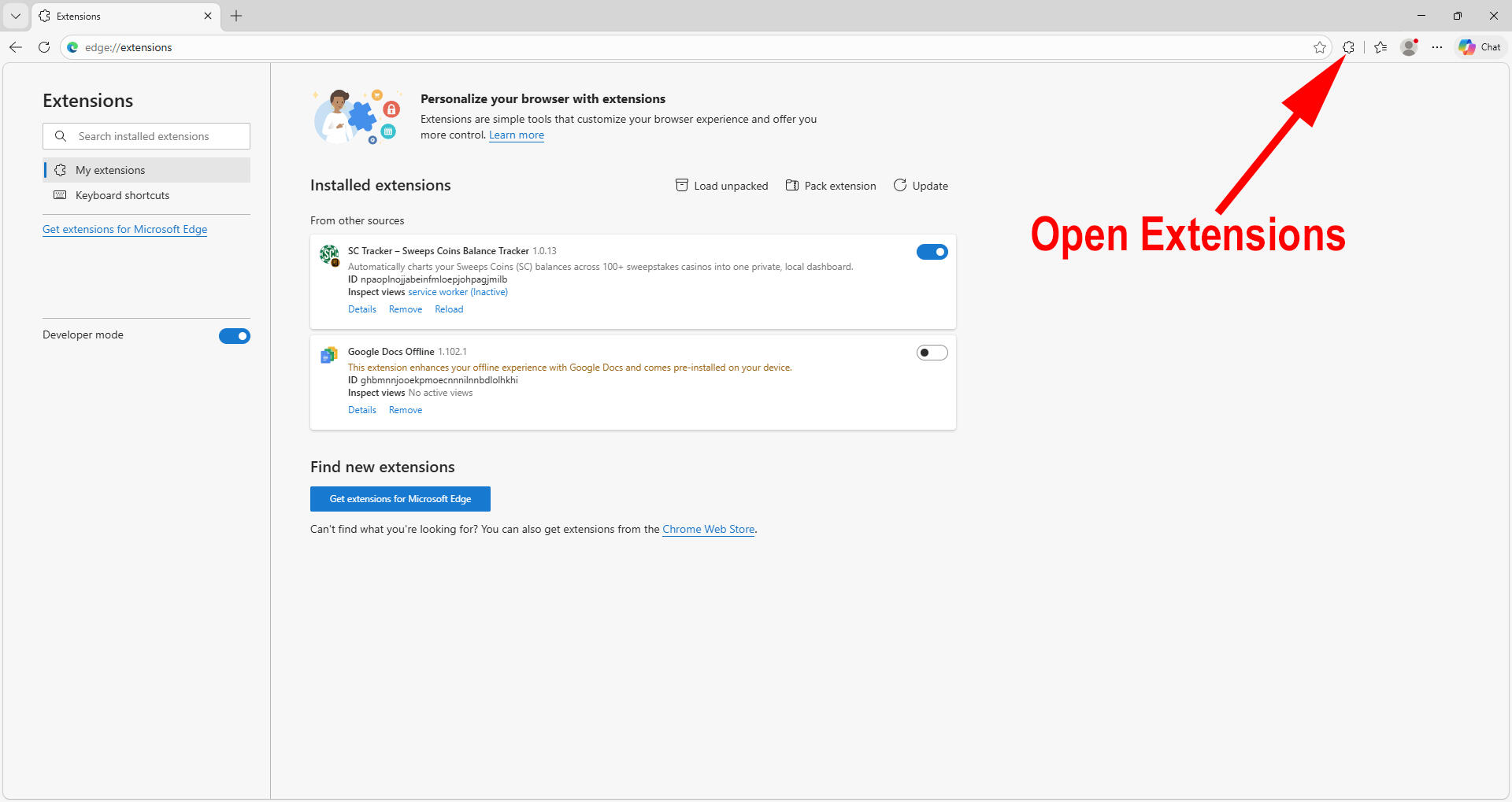
Before you start, make sure you have already run the SC Tracker Installer. If you need to download the installer you can find it at trackmysc.com.After the SC Tracker installer completes, you still need to load the unpacked extension before it will appear. To do this in Edge (Mac), follow the steps below:
1. You can enter edge://extensions in your browser and skip to step 3, or follow along with the below two steps to open manage extensions.Click the three dots in the top-right corner of Edge.
In the menu, find Extensions (with the puzzle piece icon).
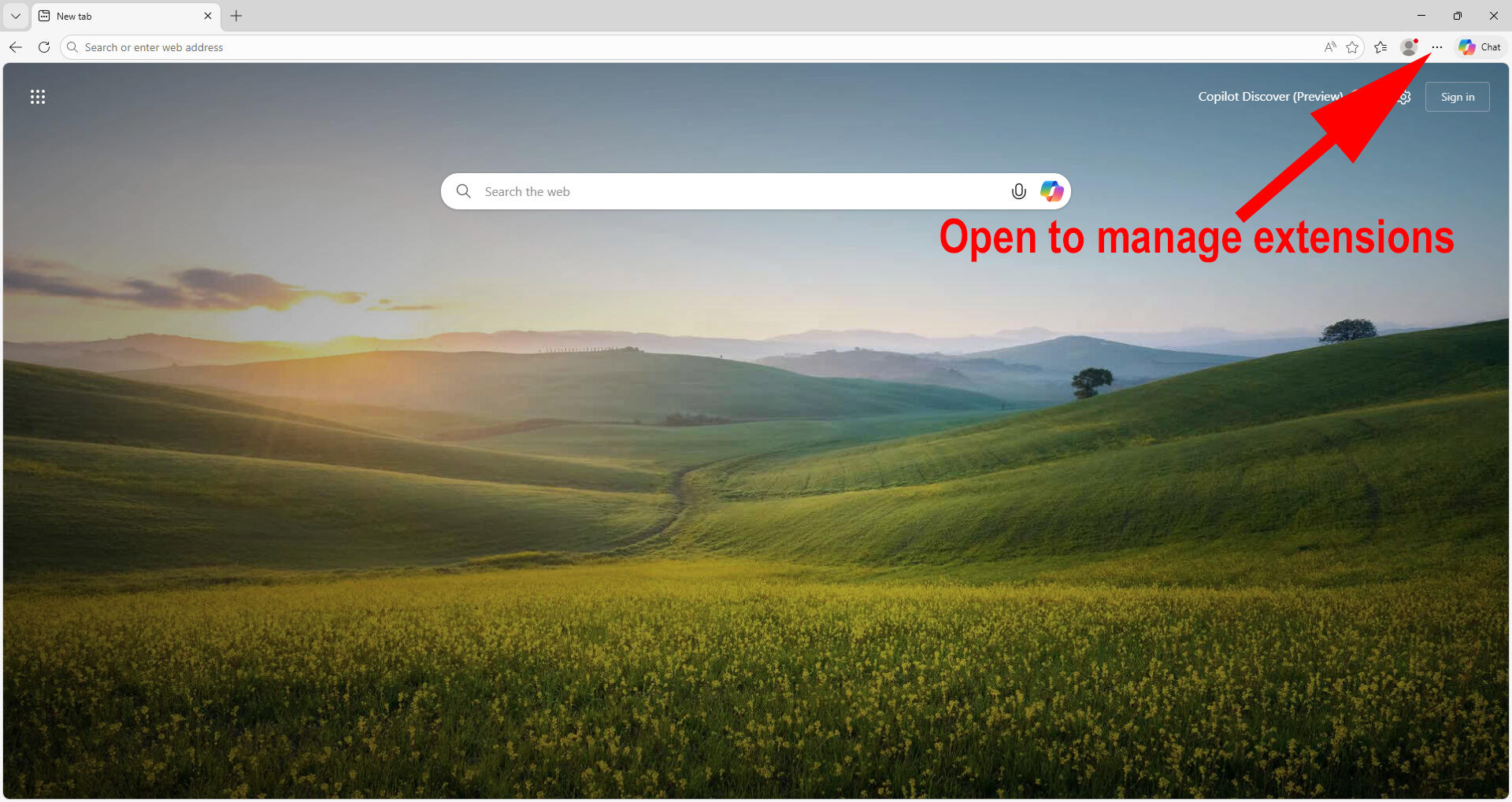
2. Click Manage Extensions, and a new window will open.
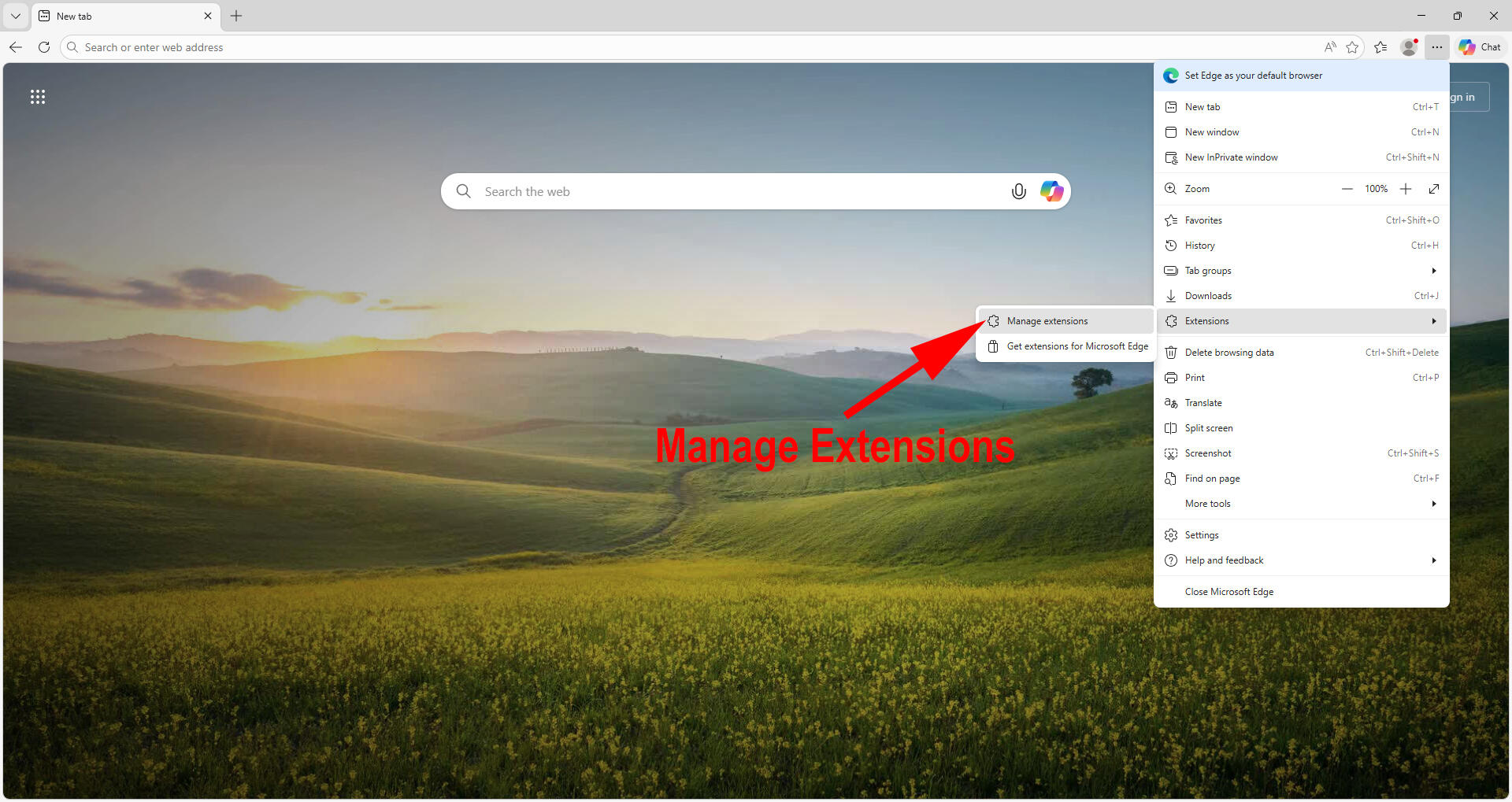
3. If developer mode is not already on, turn it on. If on, the toggle should appear blue.
PLEASE NOTE: Developer Mode is required because SC Tracker is installed locally instead of through the Web Store. This is normal and safe for this installation. Developer mode is necessary for unpacked extensions. Turning off developer mode after loading SC Tracker will disable the extension. Developer mode should remain on to use SC Tracker.
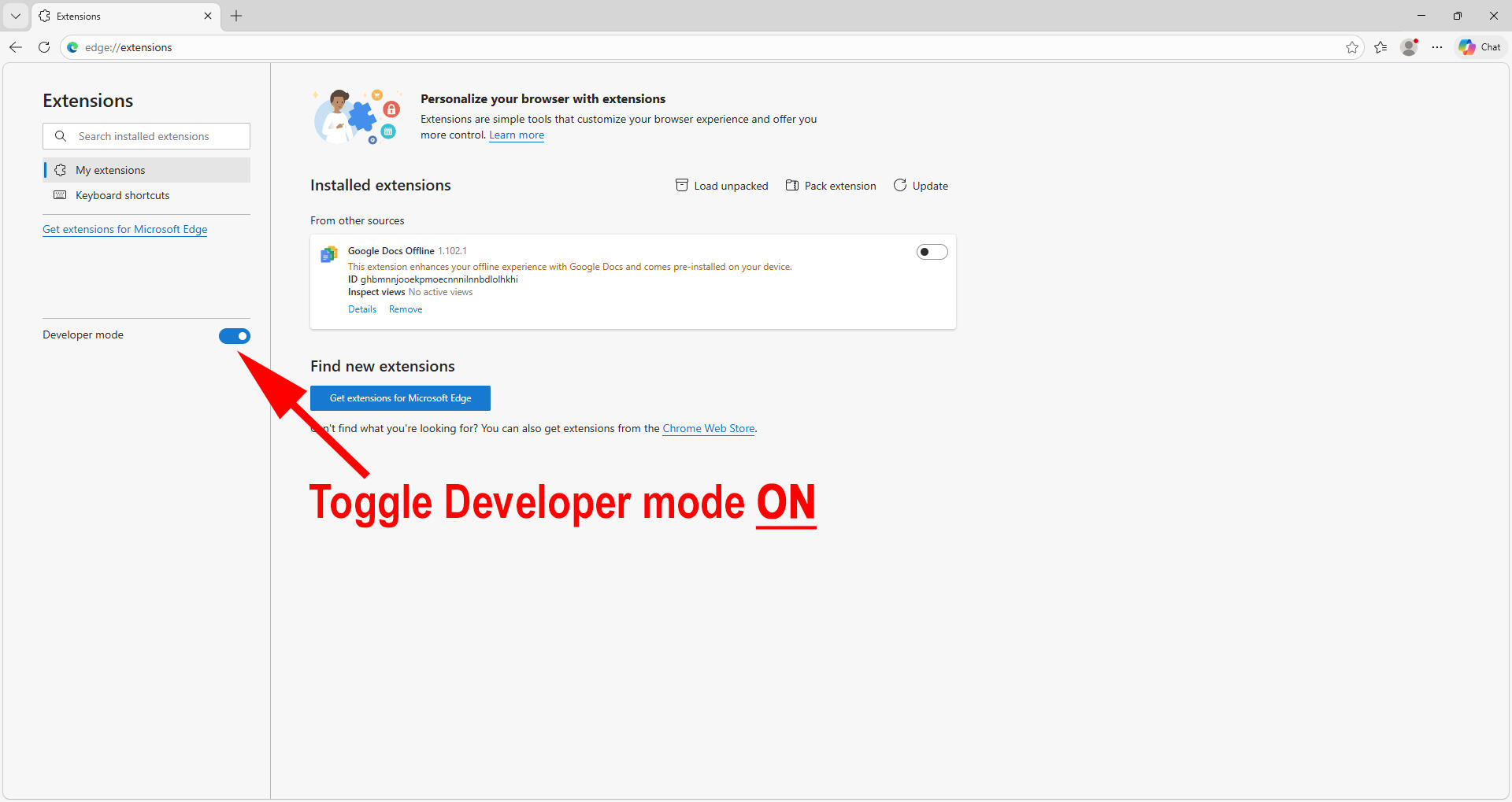
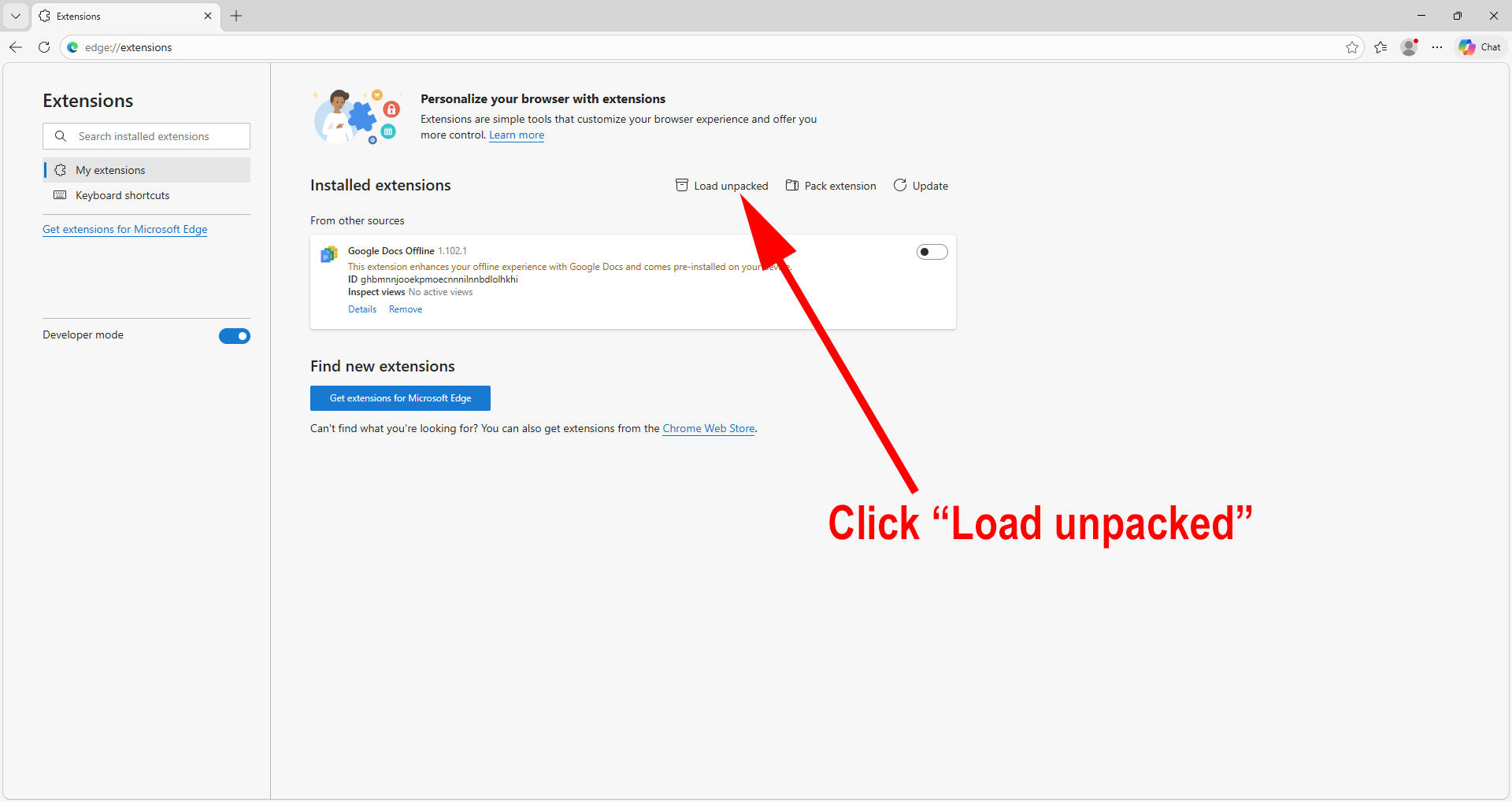
4. Click "Load unpacked"
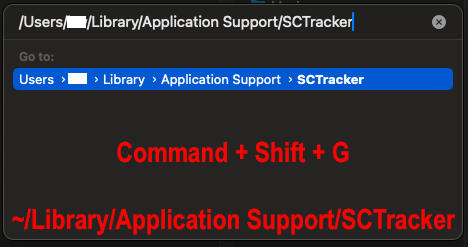
5. In the Finder window, Press Command + Shift + G, then paste this path: ~/Library/Application Support/SCTracker
Double click the folder or hit Return on your keyboard.TIP: If you just ran the SC Tracker Installer package, then ~/Library/Application Support/SCTracker is already in your clipboard.
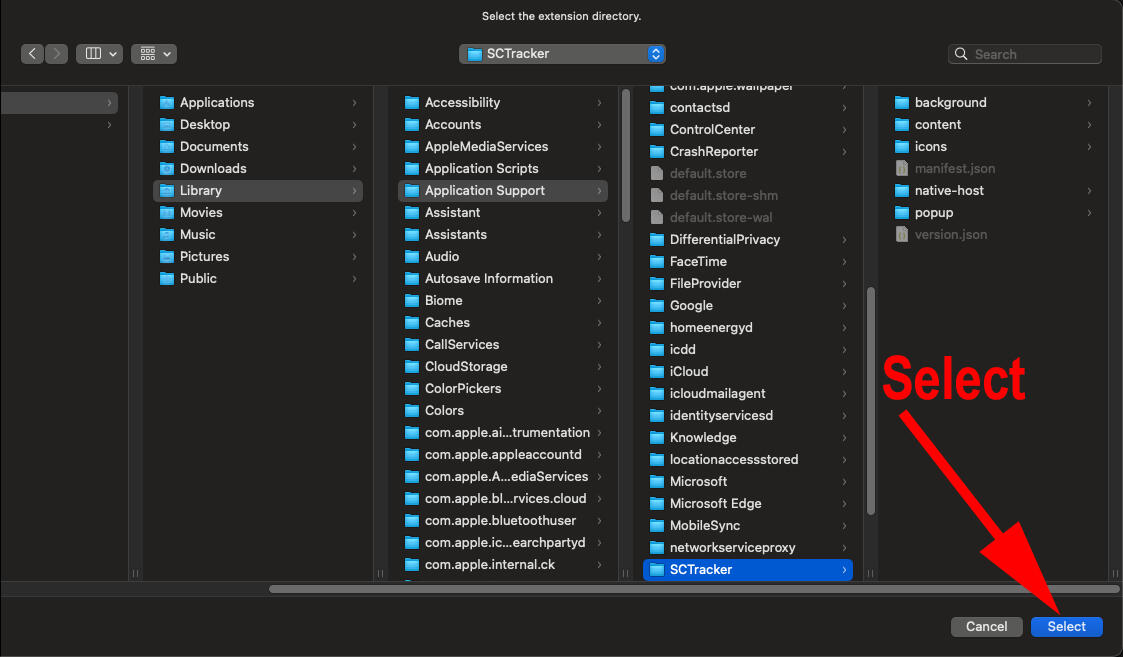
6. Click Select to confirm the SCTracker folder.
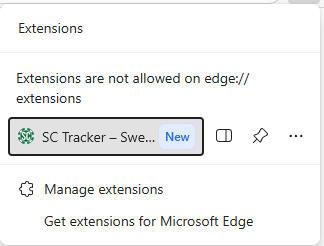
7. You should now see SC Tracker listed as an extension like the below. To open it, use the extensions button.
8. Click SC Tracker to open, or pin SC Tracker for easy access.
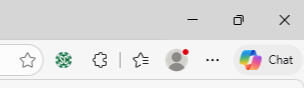
That's it! The hard part is over. Click the + button to add your first sweeps casino site and start tracking your balances automatically.
How to Install SC Tracker on Brave (Mac)
Before you start, make sure you have already run the SC Tracker Installer. If you need to download the installer you can find it at trackmysc.com.After the SC Tracker installer completes, you still need to load the unpacked extension before it will appear. To do this in Brave (Mac), follow the steps below:
1. You can enter brave://extensions in your browser and skip to step 3, or follow along with the below two steps to open manage extensions.Click the three lines in the top-right corner of Brave.
In the menu, find Extensions (with the puzzle piece icon).
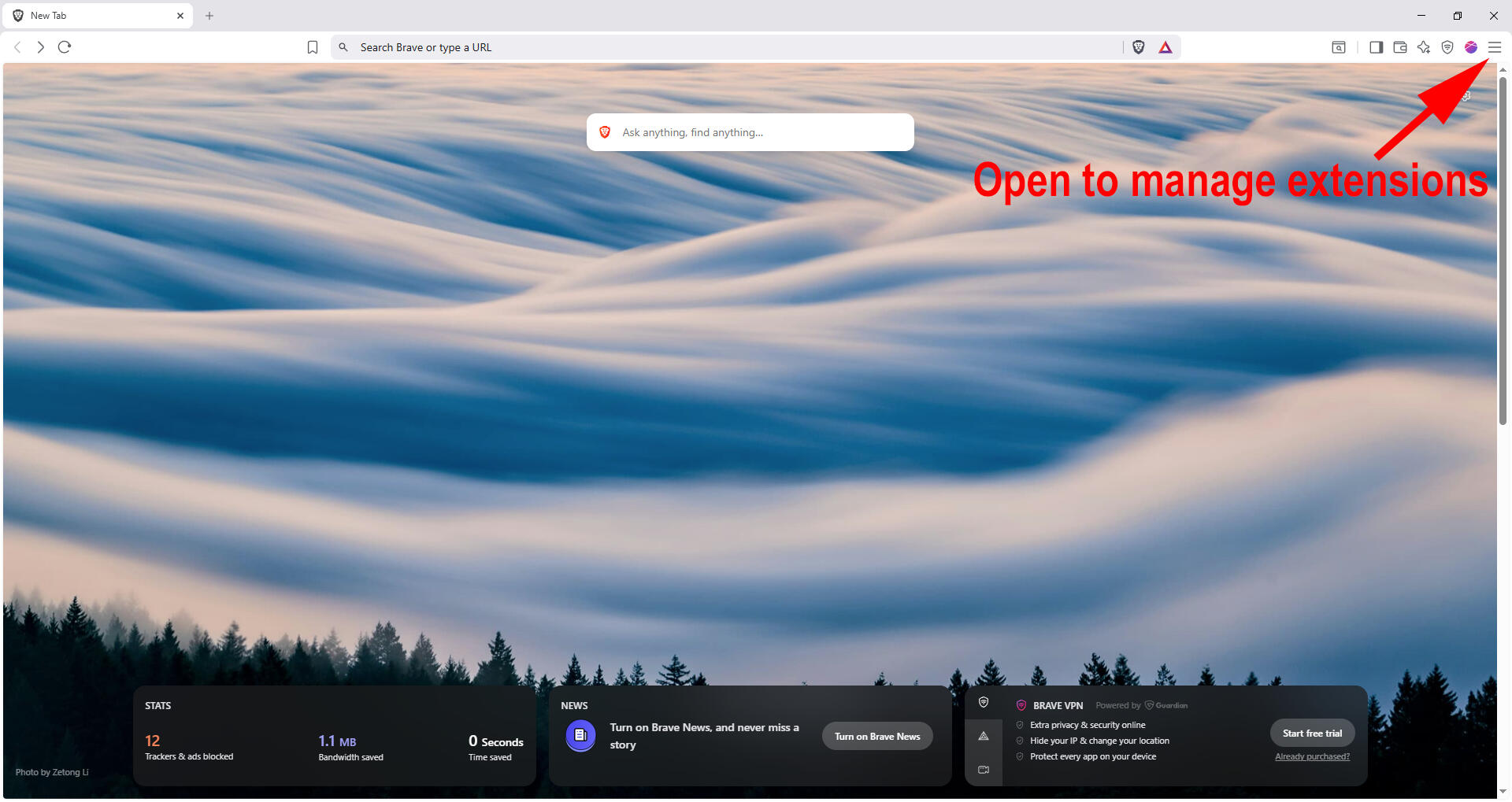
2. Click Manage Extensions, and a new window will open.
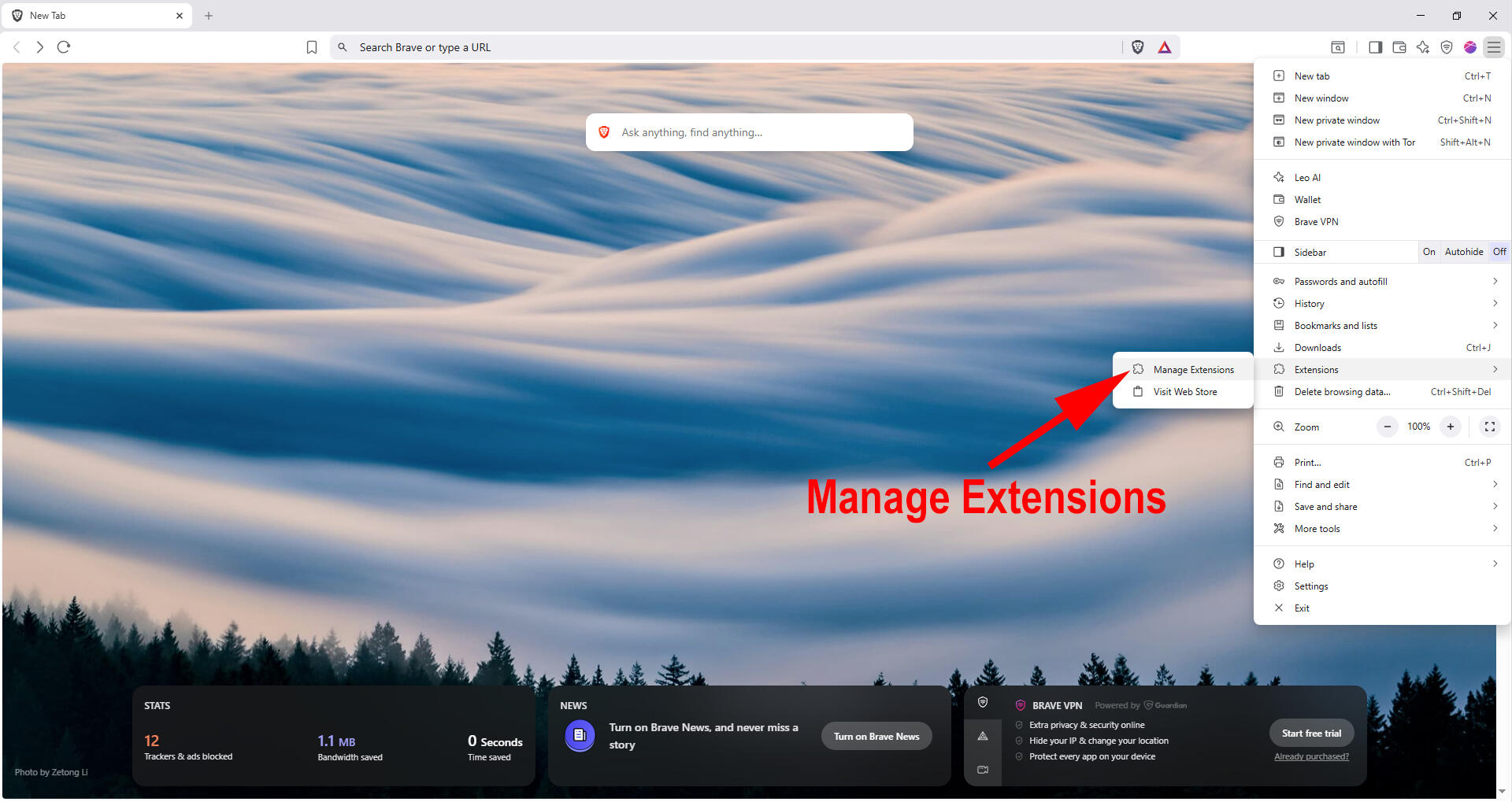
3. If developer mode is not already on, turn it on. If on, the toggle should appear blue.
PLEASE NOTE: Developer Mode is required because SC Tracker is installed locally instead of through the Web Store. This is normal and safe for this installation. Developer mode is necessary for unpacked extensions. Turning off developer mode after loading SC Tracker will disable the extension. Developer mode should remain on to use SC Tracker.
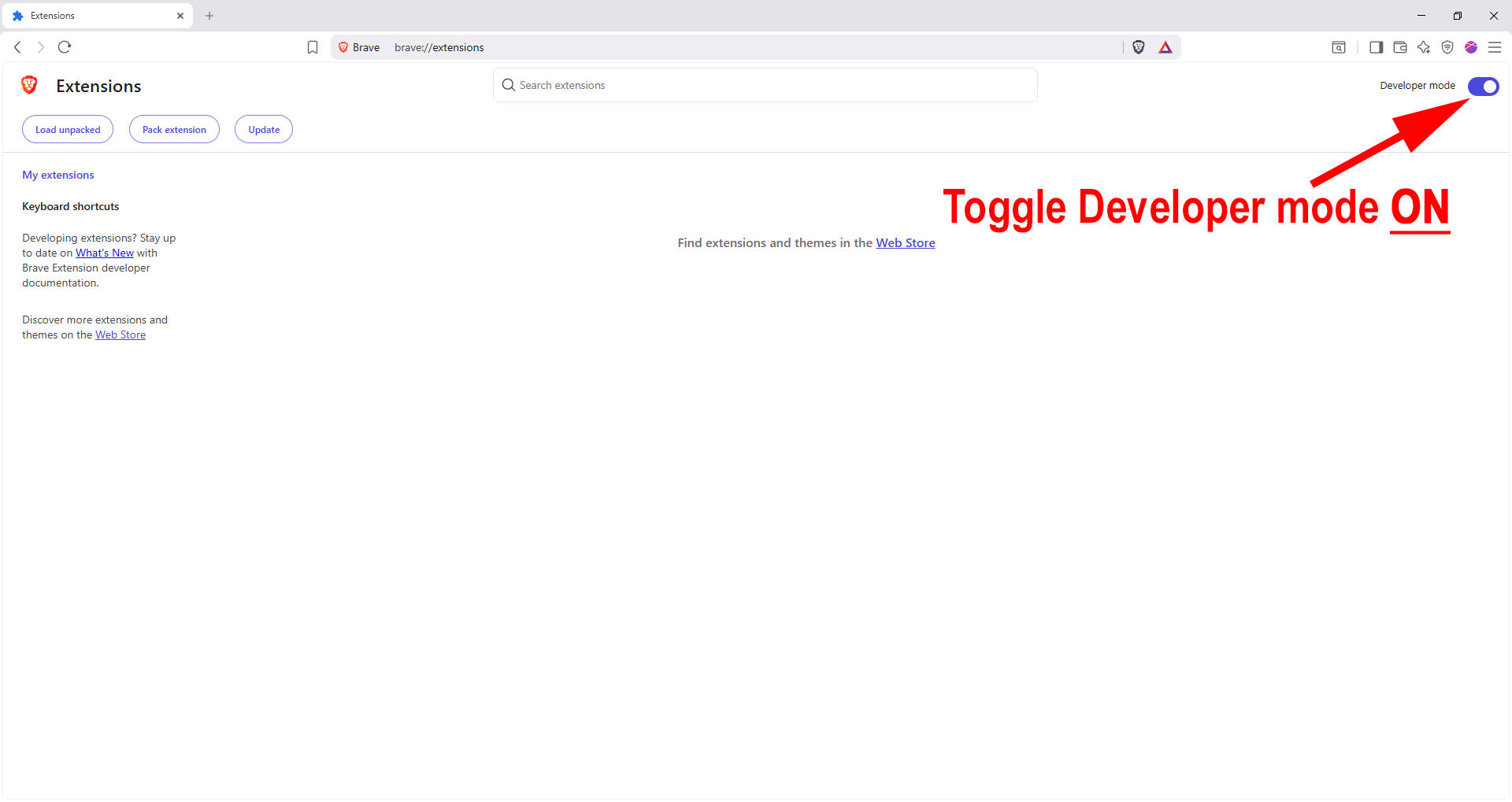
4. Click "Load unpacked"
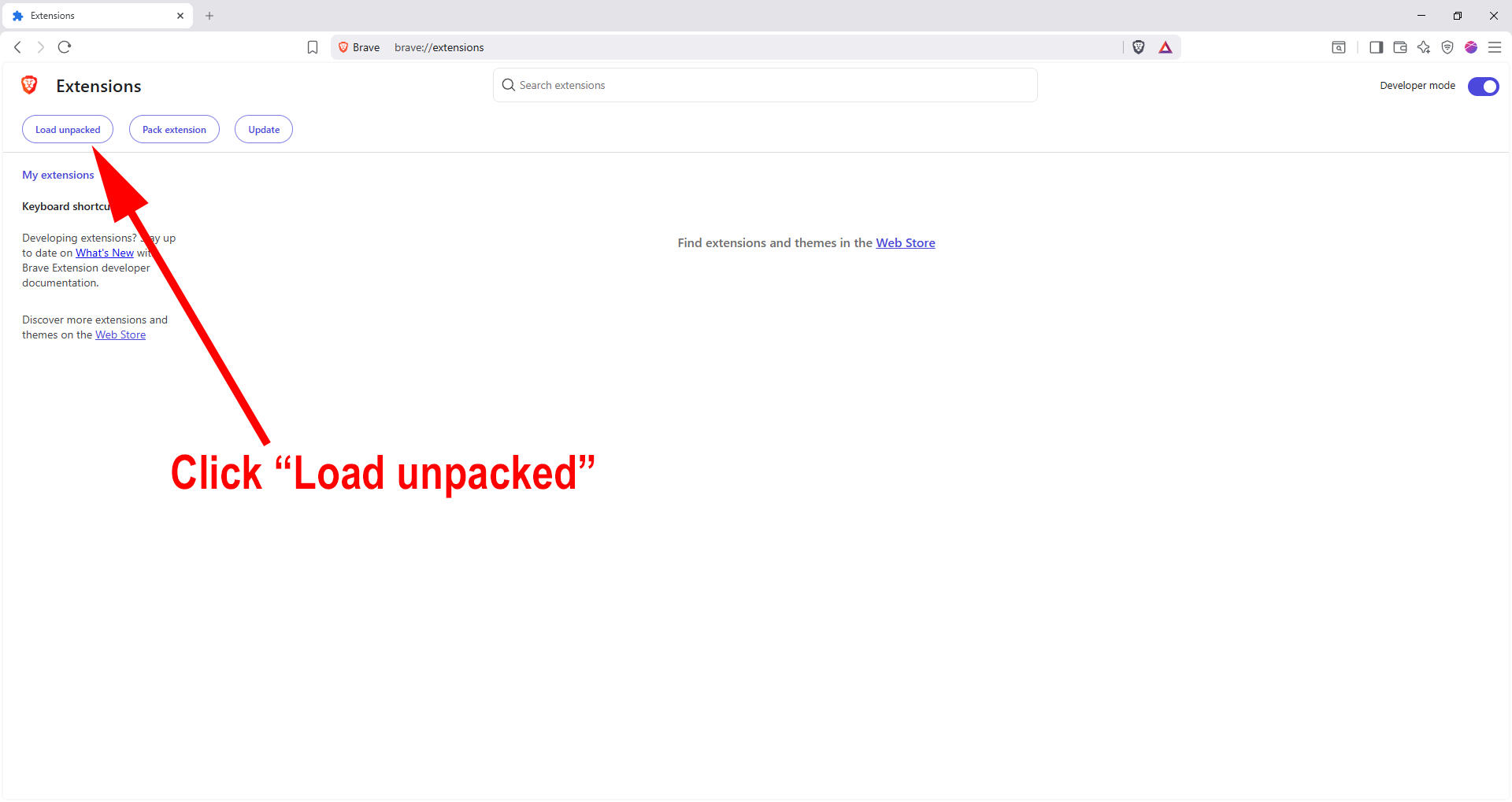
5. In the Finder window, Press Command + Shift + G, then paste this path: ~/Library/Application Support/SCTracker
Double click the folder or hit Return on your keyboard.TIP: If you just ran the SC Tracker Installer package, then ~/Library/Application Support/SCTracker is already in your clipboard.
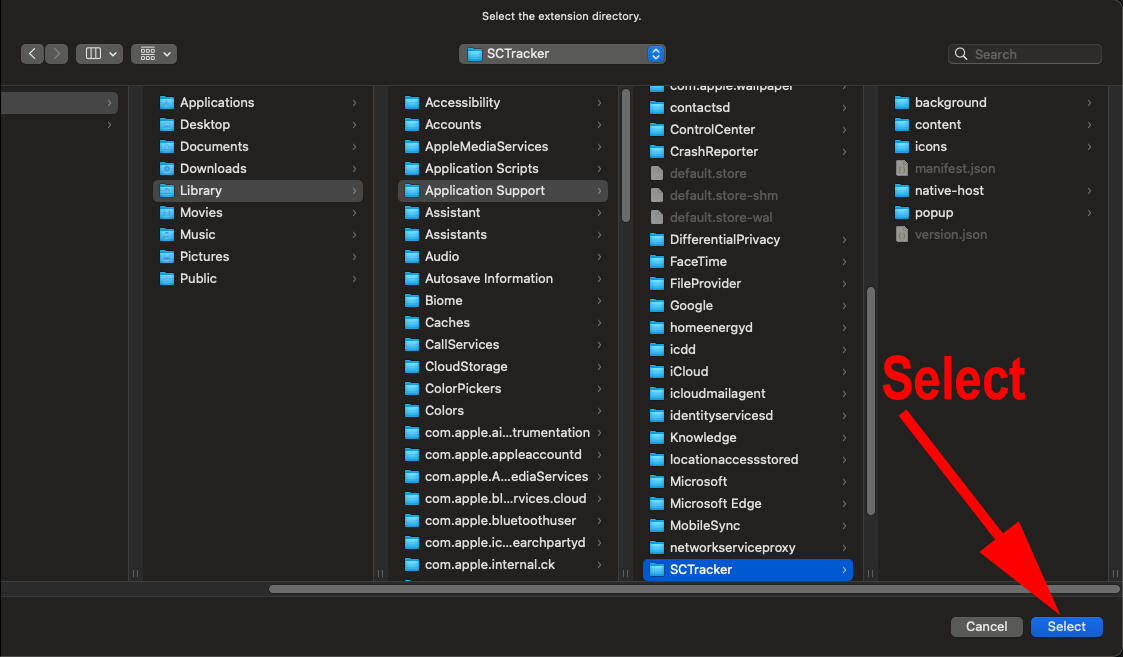
6. Click Select to confirm the SCTracker folder.
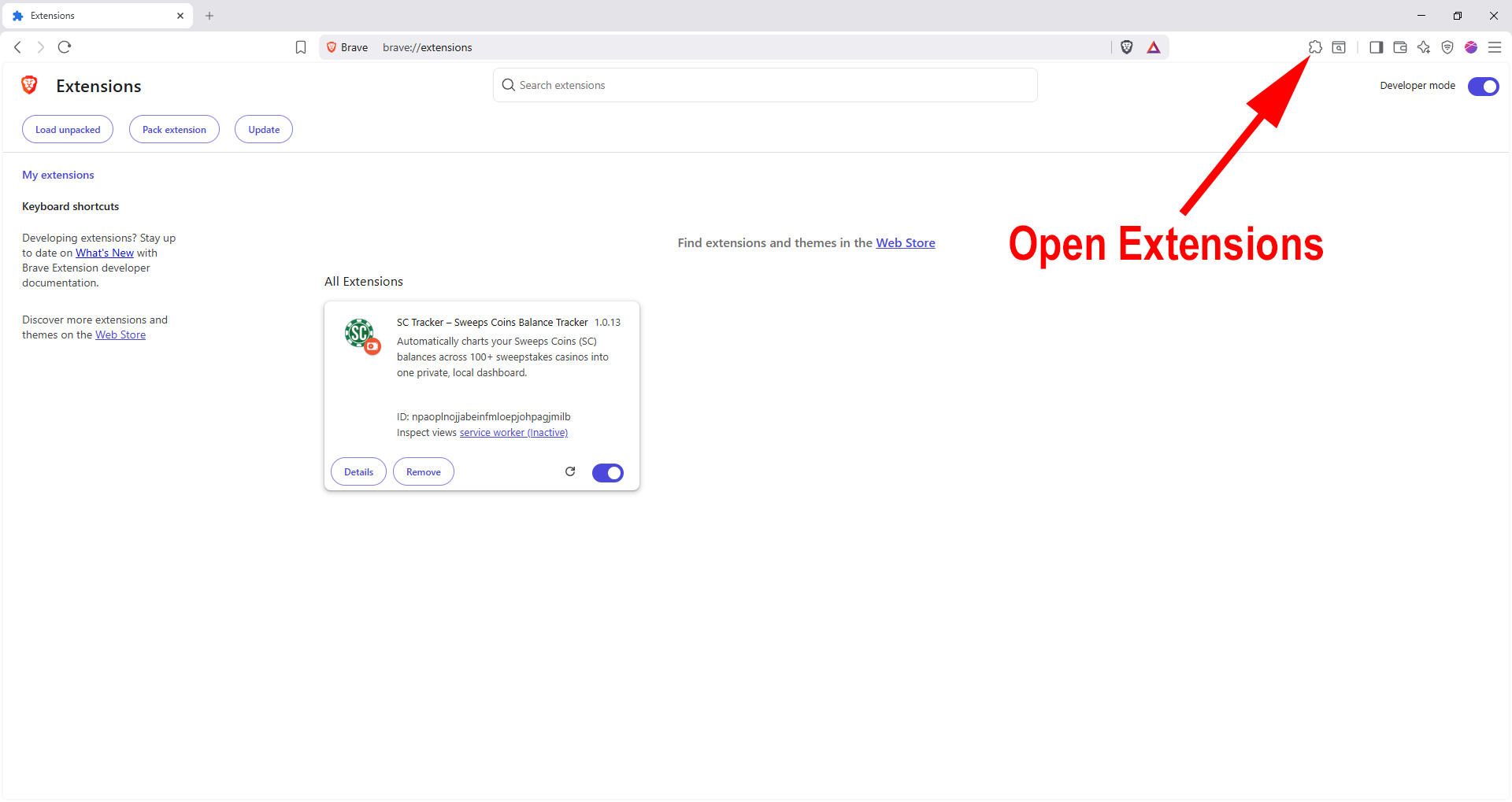
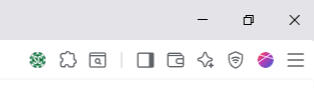
7. You should now see SC Tracker listed as an extension like the below. To open it, use the extensions button.
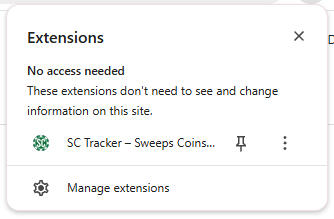
8. Click SC Tracker to open, or pin SC Tracker for easy access.
That's it! The hard part is over. Click the + button to add your first sweeps casino site and start tracking your balances automatically.